Posted in Goal

Are you a Hybrid Worker? 5 Powerful Tips For Making The Most Of Your Time

Hybrid workers are the current reality and immediate future of work. They are the bridge from the time when we had no choice but to work remotely, to the new era of blended work environments.

Time management can be one of the biggest challenges faced by digital nomads and hybrid workers, who may have a harder time than many at staying on top of business tasks and responsibilities. In this article I share five tips from my own experience, to help save you time and stay productive as a remote worker or location-independent business owner or worker.

Timebox your tasks

Timeboxing is a technique to limit the amount of time you spend on a task. When you work with a timebox, you set a timer for a specific amount of time. When the timer goes off, it’s time to move on to something else.

For example, if you have an hour block of time and have three tasks to do, set the timer for 20 minutes and then focus on one task until the timer goes off. Then set it for another 20 minutes and focus on another task until the timer goes off again. Then set it for another 10 minutes and focus on the last task until the timer goes off.

You’ll get more done in less time this way because your brain isn’t flooded with too many distractions at once or getting bored with one task before moving on to another one.

Set Up Your Workspace(s) as a Hybrid Worker

If you’re working from home or from an office space, set up your workspace so that you have everything you need within arm’s reach. This includes your laptop, files and other documents, headphones (if you need them), water bottle and more. If there are certain items that you use every day (like a stapler or scissors), put those closer to your desk than others that are used only occasionally (like paper clips). This will help keep everything in its place so that it’s easy for you to find when needed and avoid wasting time looking for misplaced items.

turned on gray laptop computer on table. hybrid worker
Photo by Flo Dahm on Pexels.com

Be Honest About Boundaries

As a hybrid worker, you might still have the same responsibilities at home as other people do. You might have a family who needs your attention and need to be home for certain events throughout the week. Don’t try to push yourself too hard. Take time off when you need it, and let your clients know what those times are so they can make adjustments accordingly.

If you know that you have trouble working without a break, make sure that you schedule one or two breaks during the day when you’ll get up and move around. If you find yourself going through periods where you can’t focus on work and need to get away from your desk, schedule them into your calendar so they don’t sneak up on you. If you need more than one break in a day, don’t feel bad about taking them!

Automate Where You Can

If there is something that you do regularly, like sending invoices or scheduling meetings, automate it wherever possible so that you don’t spend hours doing it manually each week. For example, if you use Slack for communication within your team then set up automatic reminders so that everyone knows when they should check their email or Slack for important messages. If you use Google Apps for Business then set up automatic reminders for upcoming meetings so that no one misses them!

Work Around Your Inflection Points

If you’re not familiar with inflection points, I’ll explain a bit here. Essentially, they refer to times in our day when we have more energy than usual — whether because we just woke up or because it’s lunchtime or because we just finished exercising. These moments are great opportunities to get things done during the day or even take on new projects.

five bulb lights. hybrid worker
Photo by Rodolfo Clix on Pexels.com

When You Have More Energy Than Usual, Use It To Get Things Done!

The key to making the most of your time as a hybrid worker is to work around your inflection points. There are times in your day when you need to be actively engaged with your work, such as when you are on calls or in meetings.

If you’re working from home, for example, try setting an alarm for 30 minutes before the start of each inflection point so that you can get ready for the call or meeting ahead of time. This way, when it comes time for the call or meeting, you won’t be scrambling around trying to find something to wear or rushing around looking for your notes or computer charger. You’ll be ready to go right away!

Another smart thing to do is schedule out your day so that some tasks are completed before others begin. For example, if there’s a big project due at noon but an important call at 10:00 AM, make sure that at least some of the steps required for completing the project are completed before 9:00 AM so that they don’t distract you during important calls later in the day.

Takeaway: Being a hybrid worker presents new challenges, but you can succeed.

If you have a hybrid role, consider tailoring your schedule to your specific needs. Work at odd hours if that’s the most convenient time for you to get things done. Remember that strong work-life balance is crucial if you want to succeed in both worlds, and don’t be afraid to ask for help if things are feeling too chaotic. Put your full focus on work when you’re on the clock, but also dedicate some time each day where you can recharge your batteries.


Your mind and body will thank you for it!

Posted in Goal, productivity

How Many Emails Should I Have in my Inbox? Important Advice

“How many emails should I have in my inbox?” is difficult to answer, but I have some advice. You see, there isn’t a single answer—the answer depends on your business and how many emails you send and receive each day.

When I ask people what their email box quota should be, they say “zero.” I guess that makes sense, right? Well, it really depends on what kind of marketing you’re doing. So here’s my answer to “How Many Emails Should I Have in my Inbox?”

A clean inbox is a manageable inbox

A clean inbox is a manageable inbox.

If you’re not sure how many emails you should have in your inbox, the answer is “less than you have now.”

If you’re looking for an INITIAL number to shoot for, try aiming for less than 50 unread messages at any given time. That may seem like a lot of emails, but if you’re using software like Gmail with its search functionality and folders, it’s actually pretty easy to stay under that number.

If you’re like most people, your email inbox is probably a source of stress. You know it’s full, but you don’t know what to do about it.

You have hundreds of unread messages, some important and some not so important. Some emails are stuck in the “Drafts” folder because you don’t have time to respond now, but you don’t want to lose track of them either. Others are buried in subfolders because they were sent by someone who isn’t in your address book and can’t be found with a search query. And so you continue to ask yourself: How Many Emails Should I Have in my Inbox?

The first step toward curbing the chaos is to get rid of as many unnecessary emails as possible — both those that don’t require action and those that aren’t worth keeping in your inbox at all. Once that’s done, focus on processing messages one at a time until everything is done or read.

black and gray digital device. How Many Emails Should I Have in my Inbox?
Photo by Torsten Dettlaff on Pexels.com

Your email inbox should have as few emails in it as possible

How many emails should I have in my inbox?

That’s a question that has perplexed inbox zero enthusiasts for years.

The answer is: as few as possible.

If you have a lot of emails in your inbox, you’re wasting time. You need to be able to scan quickly through your inbox and identify the important stuff — the stuff that requires action from you — and get rid of everything else.

Your email inbox should have as few emails in it as possible. This means that you are either deleting the emails that you don’t need, or moving them somewhere else.

If you have a lot of emails in your inbox, it’s time to clean things up. When I started my business, I had over 20,000 emails in my Gmail account. It was overwhelming and made me feel like I was drowning. I needed to change this!!

The magic number is 0

The magic number is 0 – for me. And if you’re like me, you should have no emails in your inbox.

You might be thinking, “How can I get my inbox to zero?” It’s not easy, and it’s not realistic for most people. But it’s a great goal to work toward.

For some people, if their inbox is full of hundreds of emails, they feel like they’re drowning in work that needs to be done. But if you can get your inbox down to zero (or close to it), then you’ve reached a place where you have control over your email and you know everything that’s going on. You don’t have to worry about missing an important message because it’s buried under piles of clutter.

You don’t have to worry about making decisions without all the information because other messages haven’t been read yet. And you don’t have to feel guilty about not responding quickly enough because there aren’t any messages in your inbox!

A clean inbox helps reduce stress and anxiety

A clean inbox is a happy inbox. It helps reduce stress and anxiety, which can improve your productivity and focus. This is why you often have the question: How Many Emails Should I Have in my Inbox?

The truth is that we’re all busy, but we’re also human beings who need to take care of ourselves and our mental health. And a clean inbox helps reduce stress and anxiety by making it easier to focus on what’s important when you need to focus on it.

When you have a clean inbox, you don’t need to worry about missing something important because there won’t be anything important left for you to miss!

The trick to keeping an empty inbox is deciding what to do with each email when it arrives

It’s easy to get an empty inbox, but it takes a little more effort to keep it that way. The trick is deciding what to do with each email when it arrives so you don’t have to keep asking the question: How Many Emails Should I Have in my Inbox?

Some people choose to delete all emails that are not work-related or personal. Others file emails in folders and delete only those they are sure they will never need again. Still others use the “flag” function on their email programs to place messages in a “to be dealt with later” category.

No matter how you choose to handle your incoming messages, there are some general guidelines that can help you maintain an empty inbox:

1) Do not spend time deleting emails unless they are spam or unwanted solicitations. If you have a legitimate reason for deleting an email, but do not know what category it fits into, leave it in your inbox until you decide what action is needed on your part.

2) Use filters on your email program so that certain kinds of messages automatically go into a particular folder without making you look at them first every time they arrive.

3) Choose one day each week (or even one day each month) when you will sit down at your computer and deal with any outstanding items in your inbox by filing them or deleting them permanently. Perhaps even daily if you receive a lot!

person holding a smartphone. How Many Emails Should I Have in my Inbox?
Photo by Solen Feyissa on Pexels.com

The more you stick with this practice, the more natural it will become!

If you’re still wondering: How Many Emails Should I Have in my Inbox? Fear not!

The more you stick with this practice, the more natural it will become!

You’ll find that when you’re at work, you’re not thinking about what’s in your inbox or what’s coming next. Instead, you’re focused on the task at hand.

If you have an email account with a lot of messages in it, it can take some time to get through them all and respond to them. This is where tools like email scheduling and email reminders can help.

Conclusion: How Many Emails Should I have in my Inbox?

Truth: The number of emails in your inbox is only important if it’s impairing your ability to do your job. It probably won’t kill you to have an overflowing inbox full of emails, but you’d definitely benefit from trying to get back down to somewhere between 0-50 emails in any given inbox.

Ultimately, the key to maintaining a clean inbox is setting realistic expectations and revisiting your inbox at frequent intervals. If you can do this, you should be able to keep your inbox in tip-top shape. By no means is it a perfect system, but it’s the best way to ensure that your emails are never overwhelming.

Posted in productivity

Learn SEO: 7 Critical Reasons Why You Should Start Today

Has someone ever mentioned that you should learn SEO?

Search engine optimization (SEO) is one of the most important skills you can learn as a website owner or content creator. It’s not a matter of if you should master SEO, but when.

When I started working online, I didn’t know the first thing about creating content. But now, I’m slowly learning and I want to help you avoid the mistakes I made.

So to help you get started with SEO, I’m sharing seven reasons why you should learn SEO as soon as possible.

SEO is more important than ever before

The fact is that if you aren’t doing SEO, then your competitors will. And they will do it better than you do.

If you have been in business for a while and have been doing some kind of marketing, then you know how important it is to be found on search engines like Google. However, if you haven’t been optimizing for search engines over the years or maybe have only done so recently, then there’s a good chance that your site has never been optimized properly before now or hasn’t been updated since its creation.

This means that if people are looking for something related to your product or service online today, then chances are good that they won’t find your website via a search engine result page (SERP).

young lady typing on keyboard of laptop in living room. learn SEO
Photo by Vlada Karpovich on Pexels.com

You don’t need to be a genius to learn SEO

Learning SEO can seem like a daunting task. You might think that you need to be a genius to understand it all. But in reality, the basics are easy to learn and anyone can do it.

The first step is to break down what it means to “learn SEO.” What does learning SEO actually mean? It means that:

  • You understand the basic principles of search engines and how they work
  • You know how search engines rank pages
  • You know how to optimize your content and site for search engine visibility

Once you’ve mastered these things, you’ll have the knowledge needed to make sure your website ranks as high as possible for your target keywords and phrases.

It can help you start your own business

If you learn SEO, it can help you start your own business by driving traffic from search engines like Google, Yahoo! or Bing. You need to ensure that people can find your website easily when they enter keywords related to what you sell or offer services for into their search engine results.

The more people who visit your site, the more likely they are going to purchase something from your company.

It’s free!

Many people are under the impression that SEO is a paid service. This is not true at all! SEO is free, and you can perform it yourself if you know what to do. You don’t need to pay anyone or use any special software either.

Although, I did decide to purchase RankMath Pro and it’s been a game-changer for me.

The only thing that might cost you money is the time spent to learn SEO and then testing your own website, but even that can be done for free by using online tools like Google Adwords’ Keyword Planner and Moz’s Open Site Explorer.

Contrary to popular belief, there are no shady tricks or black hat techniques required for successful SEO. All you need is a good understanding of how search engines work, as well as some patience, dedication, and practice.

You’ll get more traffic and leads from search engines

The primary benefit of SEO is that you get more traffic from search engines. People use search engines to find what they’re looking for online. If you rank high in searches, you’ll get more visitors to your site.

The secondary benefit is that it helps you convert those visitors into leads and sales. That’s because most people don’t have time to read long articles on their mobile devices, so if your content is easily accessible at the top of a search result page, people are more likely to click on it and read it right away.

This is something that I’m working on building out here on my current blog. I would like to continue to learn SEO and optimize my sales pages to convert more often.

It makes it easier for people to find you online

The goal of SEO is to create content that’s relevant to your target audience and ranks well on search engines, so people can find your website when they search for related keywords.

So, this is why it is important to learn SEO and understand which keywords you want to rank for in the search results. Once you are able to determine that, then you can use those keywords to make it easier for people to find your business or your content.

macbook air on grey wooden table. learn SEO
Photo by Caio on Pexels.com

It’s a fun challenge

SEO is a fun challenge for both professionals and amateurs alike, and it can be a great way to build your brand, gain more customers, and increase profits for your business.

There are many ways to optimize your site for search engines, but the most important is to create content that draws people in and keeps them coming back for more. It’s also important to make sure that all the links on your website lead back to high-quality content. This ensures that users who follow those links will be satisfied with what they find when they get there — not disappointed or confused by having been sent off track by poor navigation or poorly optimized internal pages.

Takeaway

Search engine optimization is an ever-changing practice, and the competition for search engine rankings among businesses has never been higher. If you want to stand out from the crowd and improve your website’s search ranking, you need to know SEO. The good news is that SEO isn’t difficult to learn. All it takes is a willingness to study the best practices for SEO and apply them to your business.

Posted in Goal, Mindset, productivity

Implementing The Inspiring Kaizen Method Into Your Life

Everything you ever wanted to know about the Kaizen method and how it can help you as a creative person.

I am constantly looking for ways to improve my productivity and get me closer to achieving my goals.

What Is Kaizen?

Kaizen is a Japanese word that means “improvement.” It’s a philosophy that focuses on continuous improvement, and it’s been applied in many different industries. It’s also the name of a popular productivity app.

The Kaizen Method is a system of continuous improvement that was developed by Toyota in the 1950s. The method involves identifying problems, developing solutions, and implementing them immediately.

Kaizen has been used to improve manufacturing processes at Toyota for decades, but it can also be used to improve your personal productivity.

In short, kaizen is a philosophy of continuous improvement. It’s all about making small changes that can lead to big improvements over time. It’s not just about incremental changes either; some of the most successful companies in the world have implemented kaizen because it allows them to make dramatic improvements overnight.

More recently, this method is similar to the suggestions of James Clear in Atomic Habits.

macbook pro beside white ipad. kaizen method
Photo by Pixabay on Pexels.com

Kaizen Method: Breaking It Down

Kaizen involves taking small steps toward long-term goals by constantly looking for ways to improve your current situation. It’s about finding new ways to do things better, rather than doing things perfectly from the beginning.

The primary goal of Kaizen is to develop habits and routines that will help you achieve your goals more quickly and efficiently than if you tried to tackle them all at once.

There are five principles at the core of Kaizen in the business model: be transparent, empower people, know your customer, go to Gemba, and let if flow.

It is both a mindset and a methodology that you can implement in all aspects of your life.

Who Can Benefit From The Kaizen Method?

The Kaizen method is not just for businesses, artists, designers, and creative types. In fact, it can benefit anyone who wants to be more productive and efficient.

Anyone who spends time doing manual labor or repetitive tasks will benefit from the Kaizen method. It’s designed to help you reduce waste and become more efficient in your daily life.

The Kaizen Method Is Also For:

-Entrepreneurs who want to increase productivity and efficiency

-Freelancers who have multiple projects going on at once

-Business owners who want to improve their bottom line through efficiency

The Kaizen Method is simple and easy to apply, but it can be challenging to adopt. In fact, it has been found that most people are resistant to change and prefer the status quo. That said, those who do commit to the Kaizen Method will reap its benefits. Here are some of the types of people who can benefit from this method:

-People who want to increase their productivity or efficiency while decreasing stress.

-People who want to improve their health in some way (e.g., with diet or exercise).

-People who want to improve their personal relationships or work relationships with others (e.g., by communicating better).

-People who want more free time for leisure activities like reading, hiking or traveling.

How To Use The Kaizen Method In Your Life

Here are some ways you can use Kaizen in your life:

Identify the problem. Before you start implementing changes, you need to know what needs fixing. This can be anything from getting more sleep to improving your diet or exercise routine. Even if it’s just one thing, at least you’ll have an idea of where to start.

Make a list of ideas for improvement. Once you’ve identified the problem, start brainstorming ways that things could be improved. This can be as simple as coming up with a few small goals or as complex as creating an entire system of self-improvement methods that will work together as a whole.

Pick one item at a time and implement it immediately. Don’t try to do everything at once; focus on one thing that will make a difference in your life and implement it immediately (even if it’s just for one day). Then repeat this process until all items on your list are complete.

Should you implement the Kaizen Method in your life?

While the Kaizen Method is a powerful tool that can be used for creative breakthroughs, this approach can also be applied to more mundane tasks. For example, you might want to use it to create better habits and improve the way that you do things on a daily basis.

The bottom line is this: The Kaizen Method can help you become more efficient, both in your business life and in your personal life. However, you should never think of this as an “ultimate guide” or a set of instructions that will work for everyone. If anything, it’s more like a commonsense checklist that encourages experimentation and open-mindedness.

Posted in Mindset

Writer’s Block? 9 Ways To Find Inspiration Now

As a writer, procrastination can be a killer. Getting stuck in the dreaded writer’s block can make you lose confidence, and feel demotivated. To get inspiration and kickstart your creative process, try one of these 9 ways to find inspiration when you feel like you’ve hit a block.

Practice writing even when you don’t feel inspired

Practice writing even when you don’t feel inspired. You might think that practice makes perfect, but research shows that it also helps with skill acquisition, in part by increasing dopamine levels in the brain. Some writers say that they have to write through the bad stuff in order to get to the good stuff later on, and while this may not be true for everyone, it’s worth giving it a try if it seems like something that would work for you.

Write someplace new

If you’ve been writing in your favorite coffee shop for the past six months and suddenly it doesn’t seem as inspiring anymore, try another location. If you usually write at home, head out into nature or go somewhere with lots of people around. If you usually write at work, go somewhere quiet or even bring your laptop into the bathroom.

writer's block
Photo by RF._.studio on Pexels.com

Draw/doodle your thoughts and feelings as they come to you

I find that drawing can be really helpful when I’m stuck on something. If I’m having trouble coming up with an idea, I’ll grab my sketchbook and start doodling whatever comes to mind. This helps me get in touch with my creative side and lets me explore different options without feeling pressured or overwhelmed by what might happen if I mess up. I also love to use Procreate on my iPad.

Try reading out loud as a way to hear what you’ve written in a different way

You might find some words or phrases that sound awkward when read out loud, but look fine on the page. This can also help you gauge how others will respond to what you’ve written, which is often useful when deciding whether or not to keep something in your story.

Get away from the computer screen when you have writer’s block

Writer’s block usually happens when you’re sitting at your keyboard staring at a blank page. It might help to take a break for an hour or two and do something else entirely — anything that is not related to writing. Go for a walk outside if it’s nice out, or just browse the internet randomly for fun things that catch your eye. If nothing else, this will give your brain time to rest while still letting you have some sense of productivity without having to sit still staring at your computer screen all day long!

Be open to new experiences and new ideas

Find something exciting in everyday situations. Whether it’s seeing the sunrise or walking through the park, there are many things we take for granted every day that could inspire us if we look at them differently. This can help alleviate writer’s block. If you take time out of your day to appreciate these little moments, they’ll help keep your mind fresh and engaged so that when it comes time for writing again, it won’t feel like work!

Listen to music

Listen to music to gain writing inspiration. Music is such a powerful tool and can inspire so much creativity. If you’re having trouble getting started with a piece of writing, put on some good music and let it wash over you. It will help you find the right words and ideas for your piece.

writer's block
Photo by Marcelo Chagas on Pexels.com

Break the project down into tiny pieces and pick one part of it to work on at a time

If you’re having trouble starting or finishing an essay or blog post, try breaking down your topic into smaller chunks — say, five sentences each — and writing those sentences in order. Once they’re done, move on to the next step until you’ve completed your project.

Try stream of consciousness

When you have writer’s block, try stream of consciousness. Write whatever comes into your head. Don’t worry about how it sounds or how it looks on the page; just let your writing flow freely from your brain onto the paper or screen. You might be surprised at what comes out!

Final Thoughts

Writer’s block is temporary, so don’t stress too much when you hit a wall, just grab a cup of coffee and some headphones and you’ll think of something soon enough!

Posted in productivity

How To Increase Productivity By Eliminating Distractions Today

Eliminating distractions is important and difficult. One of the hardest parts of starting a new project is getting in the zone. We all have distractions that prevent us from focusing on the task at hand. This makes it hard to get anything done. We’re going to show you how to increase productivity by eliminating distractions and staying focused.

Eliminating distractions: Turn off notifications on your devices

Turn off notifications on your devices. You don’t need to know every time someone likes your Instagram post or retweets your tweet.

Turn off the ringer on your phone so you’re not interrupted by incoming calls or messages. When people call or text, they assume you’re free to talk to them at any time. When they don’t hear back from you right away, they’ll be more likely to leave a voicemail or text message than call again. And you’ll save battery life!

Eliminating distractions: Block distracting websites with a website blocker app or browser extension

Use a website blocker app or browser extension. You can block distracting websites with a website blocker app or browser extensions such as Freedom (for Macs) or SelfControl for Macs or PCs. These apps and extensions will prevent you from visiting specific websites for as long as you choose — up to 24 hours. If you try to visit the site while it’s blocked, you’ll be greeted with an error message that prevents further access until the time period is over.

Eliminating distractions: Don’t open multiple tabs at once

Don’t open multiple tabs at once. When you open several tabs in your browser, it’s easy to lose track of what you were doing or what page you were on. Keep track of what you have open by using one tab at a time. Close all other tabs except for the one where you are working. It will help keep you focused on what needs to get done right now and prevent distractions from popping up while you’re trying to work on something else.

Or, utilize the tab grouping feature in Chrome or Safari:

eliminating distractions

Eliminating distractions: Don’t multitask and get organized

Don’t multitask: Multitasking is a myth. When you try to do two things at once, you actually focus on neither. Instead, take the time to complete one task before moving on to the next.

Get organized: This can mean different things for different people, but if you aren’t sure where to start, try creating an inbox of all your emails and tasks. Create folders or labels for each project, then file away any emails that don’t need immediate attention away into those folders or labels so they don’t clutter up your inbox anymore. Make sure you have a notebook or planner where you can write down ideas or tasks as they come up throughout the day so they don’t get lost in the shuffle either!

Eliminating distractions: Use a writing system to take notes and make to-do lists

Use a writing system to take notes and make to-do lists. In Paperless Way, I recommend using a writing system like Bullet Journaling or Getting Things Done (GTD). These systems help organize your thoughts and ideas so that you can focus on the task at hand.

Eliminating distractions: Take breaks regularly and reward yourself for staying focused

Take breaks regularly and reward yourself for staying focused. Breaks are important because they give your brain time to rest and recharge. Taking a break will help you avoid burnout and increase your overall productivity throughout the day.

For example, if you have a meeting scheduled for 2 p.m., take a 15-minute walk around the office or do something fun that helps you relax before returning to work. Reward yourself with a treat or special activity after you’ve worked for two hours straight.

Takeaway: Stay focused on the task at hand by using these tips to eliminate distractions.

Posted in Goal, productivity

Creative Ways To Increase Your Productivity Working From Home

If you want to increase productivity working from home, and find more ways to earn income working from home, there are a lot of things that you need to know.

Being able to work from home can be a dream for some and a nightmare for others. While working from home can promote increased productivity, many struggle to stay focused and on task.

Use the 50-10 Rule

When you’re working from home, it’s easy to get distracted by all the things that are going on around you: The television is on in the other room, there’s a dog barking outside, or someone is knocking at the door. To help stay focused on your work, use the 50-10 rule. Set an alarm for 50 minutes. When it goes off, take a ten-minute break before starting another 50-minute stint of work. This will keep you on track without feeling like you’re being regimented by an employer who expects you to sit at your desk all day long.

The Power Hour

The idea behind The Power Hour is to set aside a specific time period each day where you do nothing but work on one project. This can be very helpful if you have multiple projects that need to be completed, or if you feel like you never seem to get anything done because there are so many distractions.

The Power Hour should be scheduled at the same time every day (e.g., 9am-10am). You can use this time however you wish; it could be for one project only or for multiple projects. Just make sure that you stick with the same time slot every day so that it becomes part of your routine! This can help productivity working from home.

productivity working from home
Photo by cottonbro on Pexels.com

Know When to Stop Working

If you’re going to work from home, it’s important to set boundaries. You might not want to get up at 6 a.m., but if that’s what your job requires, then do it! Learn how to say no when necessary and don’t feel guilty about it either! If your boss is asking for something unreasonable, then explain why it isn’t possible for you at this time and ask if there’s anything else that could be done instead.

Designate a Workspace

One of the biggest challenges of increasing productivity working from home is keeping yourself away from distractions. If there are too many distractions around, it can be very difficult to get anything done.

To help with this problem, I recommend that you designate a workspace where you will spend most of your time working. This may be an office or another room where there isn’t much going on besides work—or it could be as simple as setting up a desk in a quiet corner of your house.

Make To-Do Lists and Prioritize

To-do lists are great for keeping track of everything that needs to get done. The key is to make sure you’re prioritizing them so the most important stuff gets done first.

If you have several tasks that need to be completed by the end of the day, break them down into smaller chunks and prioritize each one based on how much time it will take or how important it is in relation to other projects. This way, when things go wrong or you get distracted by something else, you’ll know exactly where to go back to pick up where you left off.

Reward Yourself for Accomplishments

If you have a hard time staying motivated while working from home, try rewarding yourself for accomplishments instead of setting goals for how much work you want to accomplish each day or week. For example, if you finish writing an article or book chapter without procrastinating too much, reward yourself with a nice dinner out or a trip to the movies with friends. Don’t wait until the end of the month or year either — reward yourself as soon as possible after accomplishing something important!

Takeaway
These are a few techniques that can increase your productivity working from home.

Posted in Goal, productivity

17 Inspiring Productivity Quotes To Kick You Into Gear

Many productivity quotes exist that give you the motivation to get work done. These quotes can serve as a good reminder of why you’re doing what you’re doing, and that you’re not alone. Here are 17 motivational productivity quotes that will keep you focused and determined.

Productivity Quotes

“The way to get started is to quit talking and begin doing.” -Walt Disney

Time is what we want most, but what we use worst.” William Penn

“You don’t have to be great to start, but you have to start to be great.” —Zig Ziglar

“Don’t wait. The time will never be just right.” – Napoleon Hill

“No matter what the scale of your dream is, the way you get there is the same—one day at a time of focused activity.” – Greg Reid

“Your mind is for having ideas, not holding them.” ― David Allen, Getting Things Done: The Art of Stress-Free Productivity

“The key is not to prioritize what’s on your schedule, but to schedule your priorities.” – Stephen Covey

productivity quotes
Photo by Julien Bachelet on Pexels.com

“Never confuse motion with action.” – Ernest Hemingway

“Focus on being productive instead of busy.” – Tim Ferriss

“The tragedy in life doesn’t lie in not reaching your goal. The tragedy lies in having no goal to reach.” – Benjamin Mays

“Go as far as you can see; when you get there, you’ll be able to see further.” – Thomas Carlyle

“We all have 24-hour days. It’s just that some people use their 24 hours more productively than others.” – Rick Warren

“You may delay, but time will not.” – Benjamin Franklin

“Amateurs sit and wait for inspiration, the rest of us just get up and go to work.” – Stephen King

“Most of us spend too much time on what is urgent and not enough time on what is important.” – Stephen Covey

“The secret of getting ahead is getting started. The secret of getting started is breaking your complex overwhelming tasks into smaller manageable tasks, and then starting on the first one.” — Mark Twain

“The best time to plant a tree was 20 years ago. The second best time is now.” – Chinese proverb


A lot of people get caught up in their busy schedules, but don’t have time for the things that matter. Sure, it can be tough to strike a balance between work and play, but there are ways to help you do just that—like using these productivity quotes.

Posted in Goal, productivity

6 Ways To Increase Productivity In Your Employees and Reduce Stress

How to increase productivity in your employees? This is an important question that requires a level of empathy and understanding. Business leaders around the world are constantly looking for ways to increase the productivity of their employees.

Whether it be by implementing new strategies, systems, or working conditions, improving the productivity of your team is an important priority, even during these tough economic times. So how exactly can that be accomplished while making sure to respect the human aspect of your employee?

Make sure that tasks are clearly assigned

Stress comes from uncertainty and confusion over what needs to be done and how it should be done. If you want to reduce the amount of stress in your workplace and increase productivity in your employees, make sure that each employee understands what his or her responsibilities are. When you give employees clear instructions and expectations, they know what they need to do and how they should go about doing it. This will help eliminate the kind of ambiguity that causes stress in the first place.

Create a positive work environment

Make sure that the workplace is set up in such a way that employees have what they need to be successful. This includes providing enough resources (time, money, equipment), making sure that the space is clean and welcoming, and keeping distractions at bay. You may also want to consider setting up a break room or other type of area where employees can go when they need some time away from their desks or computers. All of these work environmental factors contribute to the ability to increase productivity in your employees.

Set time aside for communication

Communication is key when running any business so make sure that you have regular meetings with each of your team members (at least once every week). These meetings should not be used only for checking up on progress but also for talking about personal issues as well as work-related problems. This will ensure that everyone feels comfortable talking about what’s going on instead of keeping it all bottled up inside until they explode later on!

Increase flexibility within the workplace

The nature of work has changed dramatically over the past decade or so. We no longer have 9-to-5 jobs that don’t require us to be online 24/7. We’re expected to respond and answer emails at all hours of the day, which only increases stress levels for everyone involved.

One easy way to help alleviate this problem is by giving your employees more flexibility with their schedules. Let them choose when they want to come into work or take extended breaks throughout their day instead of having set office hours where everyone has to be there at 8:00 AM sharp every morning (and then staying until 6:00 PM).

Provide opportunities for growth at every level – from entry-level positions up to management roles – so each employee has the opportunity to advance his or her career within your company as well as move up into higher positions within other organizations if they choose to do so in the future.

increase productivity in employees
Photo by Max Vakhtbovych on Pexels.com

Increase Productivity in Your Employees by Encouraging office wellness programs

You can start with something as simple as offering free fruit or snacks in the office kitchen, or even just having some games available for the staff to play during breaks. If your company has a gym or fitness center on site, consider offering discounted memberships to your employees. Healthier employees tend to be happier and more productive, so this can pay off in both ways!

Organize team outings and events outside the office. There are many fun things you can do together as a team outside of work hours — going bowling or playing miniature golf are great examples! Even if it’s just once a month, taking some time away from work will help relieve stress and increase overall happiness at work.

Prioritize employee health and wellbeing

Make sure your team knows what’s expected of them, and give them the tools they need to get the job done. For example, if you want to increase productivity in your employees, you may want to consider giving them more freedom in their personal lives so that they don’t feel overworked or stressed out at home.

Encourage self-care practices such as taking breaks or going for walks during the day rather than working continuously from 9am until 5pm. This will help them focus on their work more easily because they’re able to recharge their batteries when needed.

Takeaway: To increase productivity in your employees, you need to make them happy and feel like they are valued.

Posted in Uncategorized

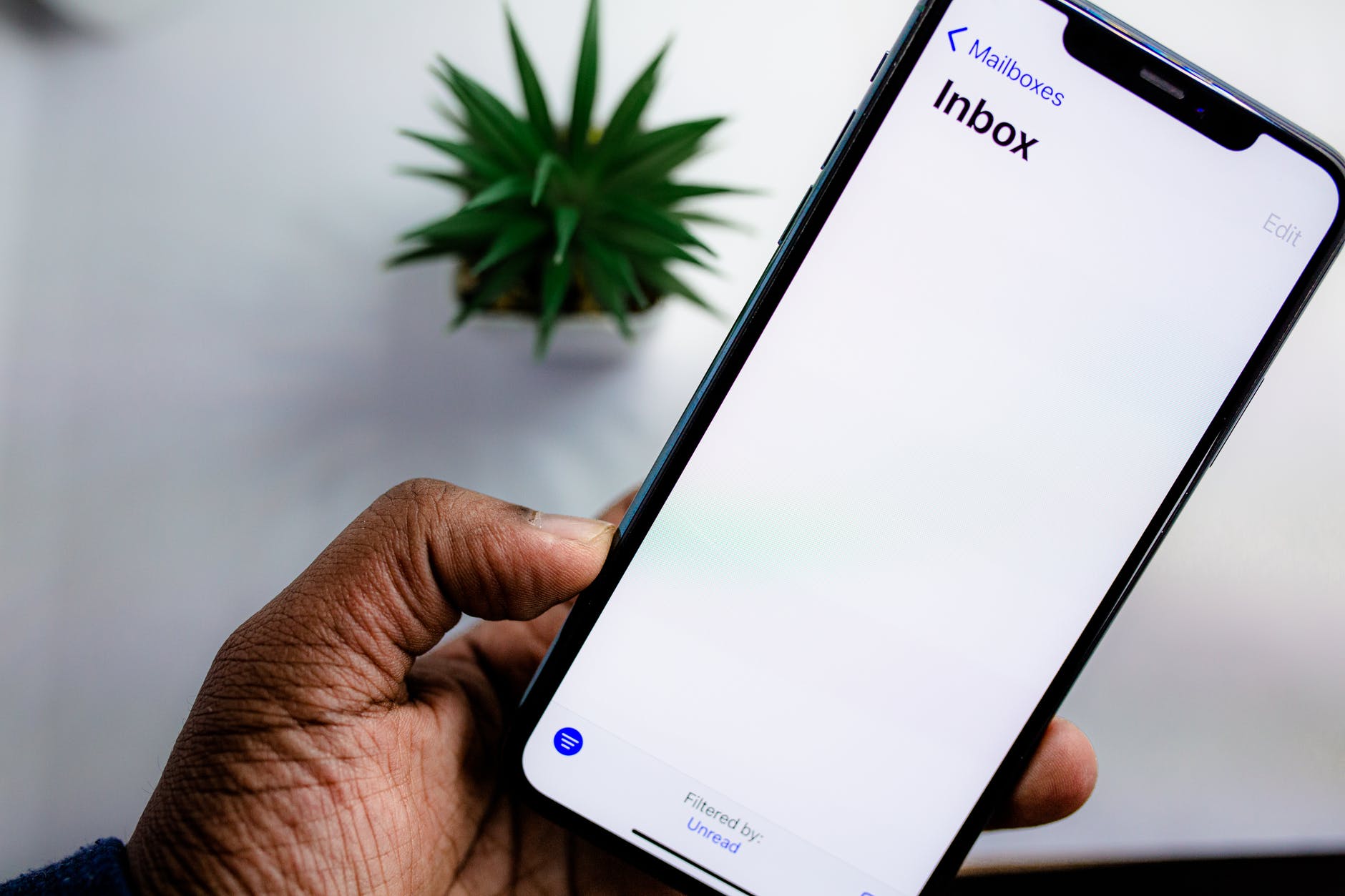
It’s Almost a New Year! Time to Clean Up Your Email Inbox

I write this post on December 28th, 2021 reflecting on the past year and gearing up for the next. And it’s time to clean up your email inbox. I love the fact that January 1st provides a set date to start over, but the truth is, you can do this at any time. So, if you’re reading this at a different point throughout the year, the advice and tips still apply.

If you’re anything like me, your email and phone notifications and inboxes are just filled to the brim. Now, I do my best to maintain a zero inbox and minimize any notifications that will disrupt my thought process. However, things sneak up over time and it’s important to do a reboot of your process if necessary. For me, it’s time to get my email back in order.

Why I’m Feeling This Way

Now, I only have a few emails in my inbox at the moment so you might think that I’m doing a great job at managing emails. However, over the past year, I have joined different newsletters and applied to various jobs. That means that the volume of emails I’m receiving is still pretty high. So even though I’m wading through them, it takes more time than I would prefer.

It’s also a reflective time of year that makes me evaluate all my systems as I think about the goals I want to achieve for the upcoming year. And one of my continuous life goals is to be more reflectively productive. Not just productive for productive’s sake, but being truthful with myself about what’s working, what’s not working, and what causes extra unnecessary tasks.

So, before you jump into overhauling your email inbox, make sure it’s a priority that will help you. I listened to Ali Abdaal’s recent YouTube video on how much money he spent and he made a point about the money he spends ordering takeout. Cooking is not a priority so time isn’t invested in doing it or learning how to do it better. Make sure to invest time in the things that are a priority for you.

time to clean up your inbox
Photo by Torsten Dettlaff on Pexels.com

Time to clean up your email inbox: Strategies to help you

  • Review any emails that come through a subscription
    • I often sign up for new things not realizing how many times per day or week the organization will email me.
    • Sometimes I change the settings to once a week
    • Other times I just decide not to get that newsletter anymore because it’s no longer helpful. Use the auto unsubscribe feature in GMAIL or go through the organization’s system.
  • Create filters
    • Not every email has to clog up the inbox upon arrival. You can create filters to send emails to folders. Or, have it enter with a label based on a specific sender.
    • Filters help create visual clues about important emails upon arrival. For example, you may have a client or boss that demands immediate responses. Create a filter so it stands out when you are glancing at your emails throughout the day.
    • You can also set up notifications so that it only interrupts your workflow if it is from certain people.
  • Archive old emails
    • If you want to get started with an inbox zero, then archiving everything is a way to start. If you are not sure how to get started, then follow this guide.
    • My personal email account had tens of thousands of emails before I started doing this. I signed up for it in 2005 and since it is my name, I have kept it ever since.
    • No one has the time to review thousands of emails so simply archive all of them and start doing inbox zero moving forward. They will still be accessible through search so nothing is actually deleted.
  • Set boundaries
    • Decide how often you plan to check your email.
    • Decide what devices you will keep your email on.
    • Decide if you will get notifications via a sound alert or banner.
    • Set personal time aside where you will not check your emails at all – perhaps even for a day or two.

Now, these are all suggestions I have incorporated into my own routines over the last few years. As with life, my process and systems ebb and flow to match my current endeavors and productivity needs.

Comment below with any helpful email tips to start the new year!