Posted in Uncategorized

Do You Have Trouble Meditating? What Works For Me Now

I have trouble meditating.

I’ve always been one of those people who truly wanted to be able to meditate, but I struggle with turning my brain off. I am constantly thinking, processing, and planning. Focusing on the here and now almost seems impossible. I’ve been through many mindfulness trainings and I’ve truly tried to meditate for extended periods of time with limited success.

I often talk with friends and my therapist about techniques to meditate and focus in order to cut back on the anxiety brain. I’ve had to implement several practices to calm my mind, and think of meditation and mindfulness as an ongoing practice in my life. Here are some things have helped me get closer to my goal of daily meditation.


Trouble meditating? Practice intentional breathing


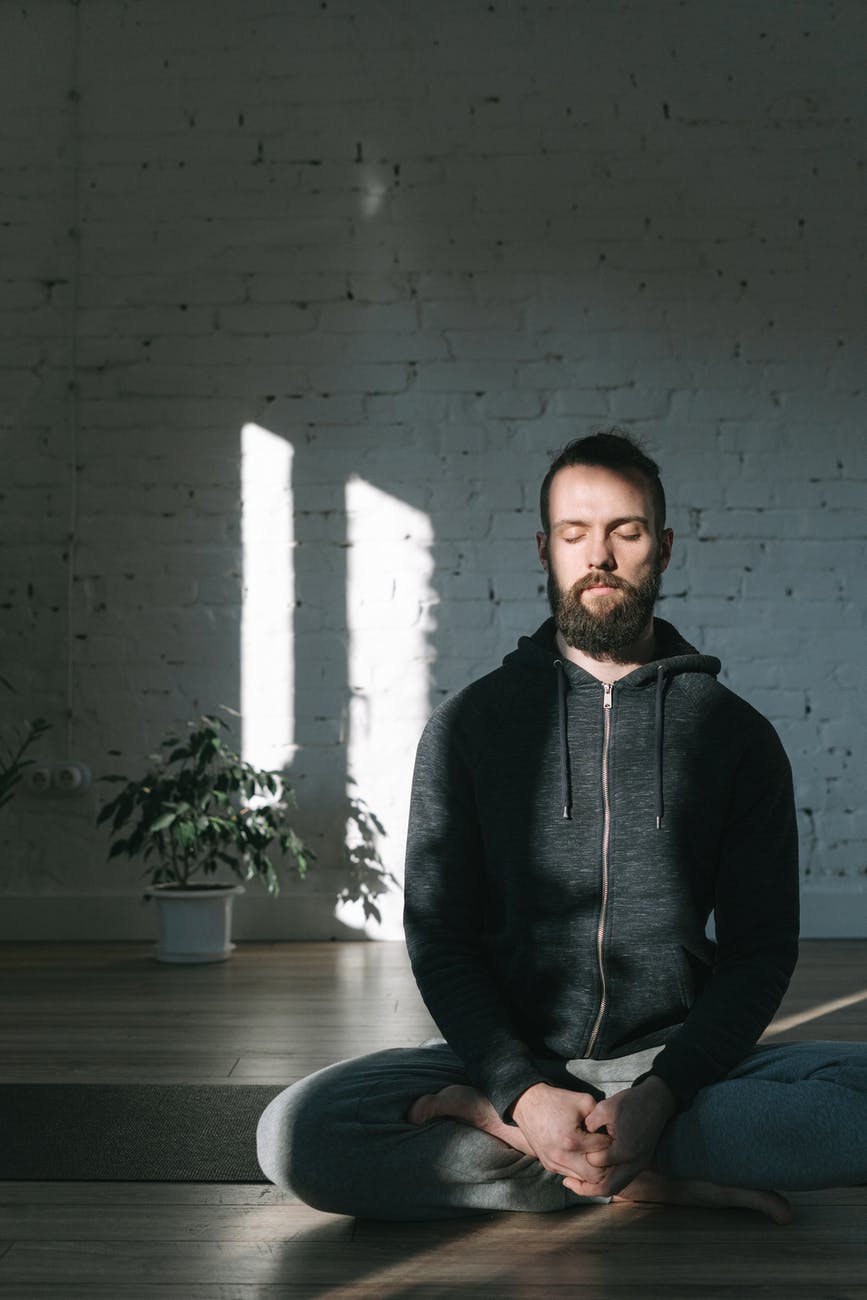
With intentional breathing, I breathe in through my nose and out through my mouth. I’m not quite sure where I learned this. I think it was actually from when I started training for races like 5K’s and 10K’s. It helped keep my pace when I was running and made me mindful of my breathing. Now whenever I need to take a step back and reflect, I focus on my breathing and remember to go in through my nose and out through my mouth. If I’m being extra mindful, I’ll even count to three on the inhale and then on the exhale to keep my breathing consistent.

trouble meditating
Photo by Ivan Samkov on Pexels.com


Trouble meditating? Try Morning affirmations

I try to do this as many days a week as I can, but it is not every day. I don’t meditate exactly, but I spend time in reflection and focus on positive affirmations. I use the I AM app on my ipad and then I write it down in my journal. I try to pick at least 3-5 affirmations per day to focus on. The simple act of writing helps solidify it more into my subconscious.

Lately, I’ve been focusing on the wealth affirmations. I’ve been in school and a student for a long time and I’m ready to start earning more for the work and effort I have been putting in. I’m using time to research areas to build this and spending time each day manifesting this and being grateful for what I have.


Trouble meditating? Check out Yoga Nidra

I wrote about Yoga Nidra in another post as well. Honestly, this is one of the best meditation techniques I’ve found that works for me. I have done many of the YouTube videos, especially during covid, but in person works better for me. I lay down with a blanket and a rest for my head and knees and listen to the guide talk through the meditation. I always leave feeling so relaxed and the worries of the day have melted away.


Trouble meditating? download the Headspace app

I have actually been quite fortunate to get the benefits of the paid Headspace app through my university. I’m glad that they saw the value in sharing this with grad students so they have a way to limit stress and think about their day. I use it primarily for two purposes.

I load up the app and complete the short 5 minute meditations when I’m feeling overwhelmed. Anything longer than 5 minutes is really hard for me to do during the day. That’s why Yoga Nidra is so helpful because it’s a full body immersion. Then, I use their sleep stories at night to help me fall asleep.

I know I see lots of posts and books about successful people spending their morning meditating, but I’m still a work in progress. For now, these little bursts of mindfulness are helping me become more focused throughout the day.

Get 3 months of Calm free with your Prime Student membership
Posted in Goal

Fear of Failure: The True Reason You Aren’t Successful

Do you have a fear of failure?

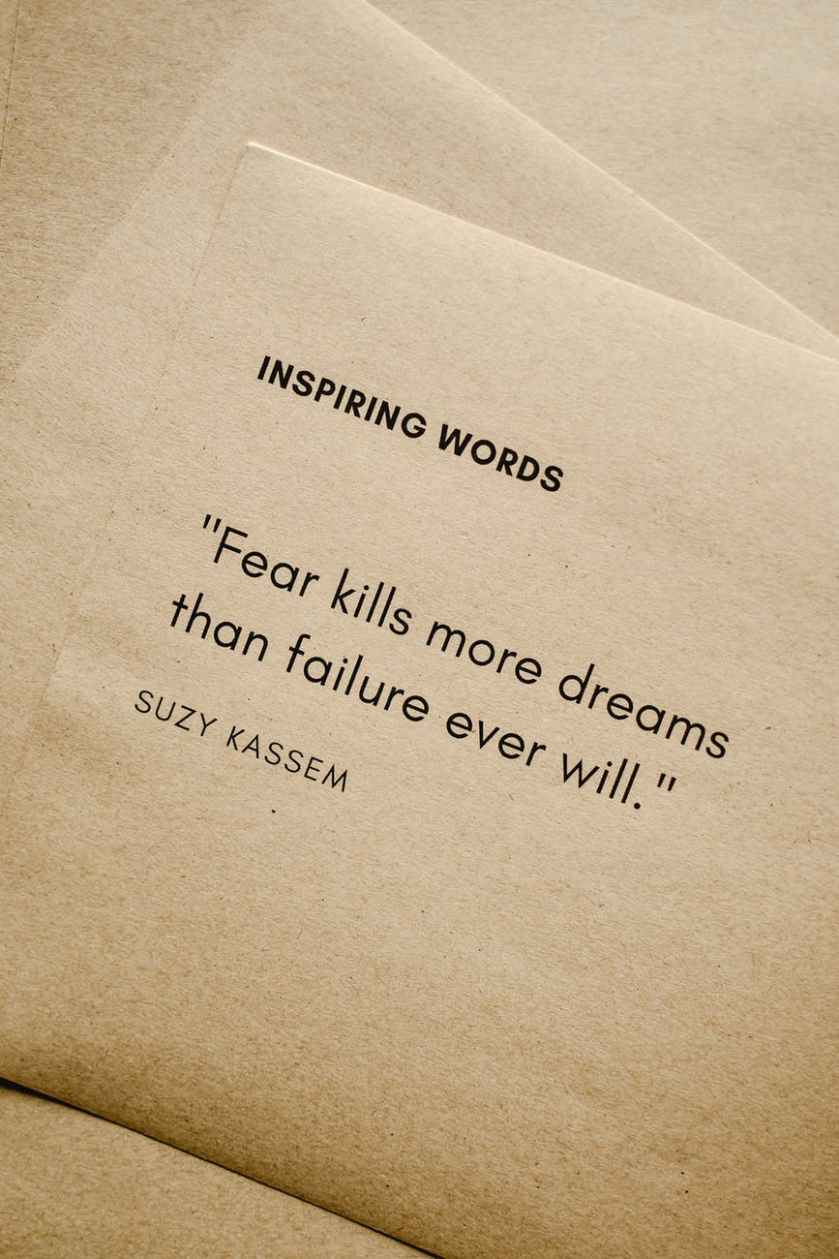
I truly believe one of the biggest things that has held me back from achieving goals, or at least achieving them as quickly as I could have, has been fear of failure. This is human nature to want to succeed and not look stupid or be embarrassed by a less than desirable outcome of something.

But I have to wonder, how many times has fear of failure stopped me from doing something great or finding a new passion or hobby to enjoy? I recently read Hello Fears by Michelle Poler, which I do recommend as a positive self growth opportunity. She documents her 100 days of facing down different fears from dancing in Times Square to speaking at a TedX conference. In her story, she breaks down different emotions and feelings she had to go through to conquer each of her fears.

Fear of failure is also known by the name atychiphobia. This may be an unwillingness to try anything new unless it is guaranteed to be a success. Sometimes this is tied to another psychological phenomenon known as imposter syndrome. It makes it challenging to feel as though you deserve something or that you will be good enough at whatever it is that you need or want to do.

Why do people have a fear of failure?

Some people grow up in households where they are not supposed to show imperfections or are held to super high standards. Everything is expected to be perfect and anything less than that is unacceptable. This could be something an adult has shown them or some internal pressure placed on themselves.

Other reasons people are afraid to fail include potential shame or embarrassment that may come from not reaching a goal. They may place a lot of emphasis on what others think or have fear of failure accompanied by anxiety.

Perhaps you’ve been knocked down many times in the professional world when you’ve tried to express your ideas. This could be a block to further wanting to share ideas or come up with new innovative ways to do things.

fear of failure
Photo by Andrea Piacquadio on Pexels.com

How many successful people have failed?

Lots of successful people failed many, many times on their path to success. It is not always a linear process, but many times filled with ups and downs that teach lessons. One of the most famous examples is the inventor of the lightbulb, Thomas Edison, who failed 1,000 before making the lightbulb function and work.

Have you ever heard of Harry Potter? Chances are you have because between the books and the movies, JK Rowling has made over $15 billion. It’s an international sensation, but was rejected 12 times at first.

Oprah Winfrey had a television gig that did not go so well where she faced challenges and was ultimately fired from that position. She didn’t give up and went on to have her own talk show and is a billionaire.

I could go on and on. Think of a famous person who you admire and respect. Do some research about their background. Chances are if they started a business, wrote a book, or starred in a movie, somewhere along the way they faced rejection and failure. The key is they did not let that stop them from pursuing their dreams.

Moral of the story? Failure is a step to growth so even if we might fail, we have to try. If we never try, then we’ll never know if we could have run that marathon, finished that degree, or started that new business. It will always be a “what if?”. How many what if’s do you have and what can you change moving forward?

Posted in Uncategorized

Ways to Create a To-Do List: Methods to Get Stuff Done Right Away!

You need to create a to-do list

Do you often make it through the day just putting out fires as they occur, trying to keep up? Creating and sticking to a schedule can help with managing time effectively. One helpful tool is to create a to-do list of action items that you need to get done. Over the years, I’ve tried different methods of writing a to-do list, which have worked for various purposes depending on my goals at the time.

A to-do list serves an important purpose in life. It keeps us from losing track of everything we have to do and helps focus our day on the things that really matter. It turns out that creating a to-do list can seem intimidating for some of us. But with a little bit of know-how, it becomes easier to create a to-do list. You won’t have to spend extra money and will be able to spend more time on the important stuff.

Why is it important to create a to-do list?

Making lists and prioritizing tasks helps you become more likely to accomplish your goals and reach your dreams. It also provides a way to track your progress and keep you motivated to move forward. To-do lists are great for both personal and professional use. You can use a paper and pen notebook to track it all or there are lots of great digital apps to organize tasks by category.

I’ll share some of the methods I’ve used to create to-do lists with you here.

create a to-do list
Photo by energepic.com on Pexels.com

THE EVERYTHING LIST

I like to call this list the everything list because it’s more or less a brain dump of all that has to be done. Sometimes I make columns for personal and work action items to keep them separate, but I just get it all down on paper (or digital). I’ve seen others refer to this method as the grocery list method because it’s just basically keeping a running tab of tasks as they pop into your brain.

Top Three to Five

For me, this method is helpful when I’m feeling overwhelmed. Instead of literally writing everything down that needs to get done, I write 3-5 MANAGEABLE items at a time. Then, when I’m able to cross them all off, I create a to-do list by writing 3-5 more items to accomplish. It’s comparable to time blocking a schedule. It’s focusing me to be intentional about what I want to accomplish within a certain timeframe.

Prioritized List

This method takes the everything method and then rearranges it based on your priorities. It’s easier to do this with a digital task management system because you can easily cut and paste the items and move them up and down on your list. One way to prioritize is to use the Eisenhower matrix. Some people even recommend a simple lettering system next to your tasks with A being the most important item to tackle first.

Big and Small

This type of to-do list breaks tasks into big and small tasks. You can think of them as time commitments. If it’s something like sending an email that will take 5 minutes to write, that could be considered a small task. If it’s completing an annual report, that might be a bigger task. Sometimes it’s more helpful to break up those big tasks into smaller ones and cross off those milestones as you reach them.

No matter how you organize your tasks and create a to-do list, the best thing to do is find what works for you. The physical act of crossing something off on paper to me feels so good that even though I manage my longer-term and ongoing tasks in a digital app, I still create a daily list of items that need to get done. I also try to keep it realistic so as not to get disappointed if I don’t get everything crossed off my list.

Happy to-do-ing!

Posted in Uncategorized

My 4 Favorite Google Calendar Settings and Features

Google calendar settings can set you up for success!

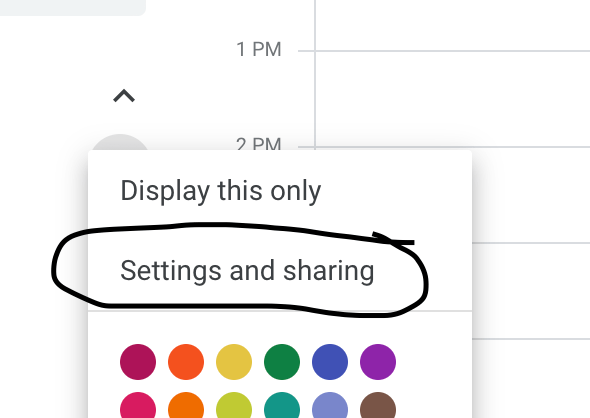
Settings and Sharing

google calendar settings

I use my Google Calendar for all of my professional and personal tasks. So, I share it with anyone who might need to get a hold of me or schedule something. However, I do not necessarily need them to see all of the event details, so I choose the option of just Free/Busy.

Notifications

Normally, I don’t like to have a lot of notifications coming through on my email, but I do have some calendar notifications set up. If something is changed or canceled, I do like the email to come through so I’m aware of it. That way, I don’t just happen to notice it missing from my calendar at a later time. Another helpful notification is to get a daily agenda from your calendar emailed to you. This helps as you think about planning your day each morning.

Color Coding Events

Originally, I utilized the create calendar feature to make a separate calendar for each of my activities. But then I realized if I was using the share calendar feature to alert people to my availability I would have to then share all of those calendars with them. So although it takes a second longer when I create an event … After I make it on my calendar, I right click the event and then change the color to match my coding for that activity. Then, at a glance, I can see what responsibilities I have for my freelance work, my teaching, and my school.

Multiple Time Zones

Another setting you can utilize on the calendar is to have more than one time zone displayed. This is helpful if you have to coordinate meetings with people who live in a different area. I have to do this and so I have two different time zones on my calendar to make it easier for me to plan meetings with others.

Overall, I find Google Calendar simple and user friendly. I like that I can access it on all my devices and put everything in one place!

Posted in Technology Tips, Work From Home

My Favorite Google Calendar Settings and Features

Settings and Sharing

Since I use my Google Calendar for all of my professional and personal tasks, I share it with anyone who might need to get a hold of me or schedule something. However, I do not necessarily need them to see all of the event details, so I choose the option of just Free/Busy.

Notifications

Normally, I don’t like to have a lot of notifications coming through on my email, but I do have some calendar notifications set up. If something is changed or canceled, I do like the email to come through so I’m aware of it and don’t just happen to notice it missing from my calendar at a later time. Another helpful notification is to get a daily agenda from your calendar emailed to you.

Color Coding Events

Originally, I utilized the create calendar feature to make a separate calendar for each of my activities. But then I realized if I was using the share calendar feature to alert people to my availability I would have to then share all of those calendars with them. So although it takes a second longer when I create an event. After I make it on my calendar, I right click the event and then change the color to match my coding for that activity. Then, at a glance, I can see what responsibilities I have for my freelance work, my teaching, and my school.

Multiple Time Zones

Another setting you can utilize on the calendar is to have more than one time zone displayed. This is helpful if you have to coordinate meetings with people who live in a different area. I have to do this and so I have two different time zones on my calendar to make it easier for me to plan meetings with others.

Overall, I find Google Calendar simple and user friendly. I like that I can access it on all my devices and put everything in one place!

Posted in Goal, Personal Skills, Time Management, Work From Home

Mastering the Power of Effective Scheduling: Some Tips to Make it Happen

Some people say that I’m a planner. Others say I’m calendar-oriented. Really, I just like to make sure that my time, tasks, and priorities are all reflected on my schedule. When someone asks me to do something and I agree (also power in saying no), I immediately add it to my Google Calendar, which can be accessed on my phone, iPad, and laptop. No matter where I am I have access to it.

If it is a work or professional meeting, I copy the Zoom or webinar link from the email and paste it directly into the calendar event that I create so that I do not have to search for the email when it’s time to log in.

Clarify your goals

It is important to know what you want to accomplish with your time. You cannot create an effective schedule if you don’t know what you are aiming for. I wrote a post on mini-goals here. Get specific on the main areas of your life and figure out the chunks of time that need to be spent on each.

Prioritize your tasks

When you sit down to work, or even at the beginning of every day, take a look at everything that needs to be accomplished. What is that one thing that can’t be put off? Do that first, in the morning if you can. For longer term projects, break it down into smaller deadlines and place those on your calendar. If you’re not sure how to prioritize, consider using a strategy like the Eisenhower Matrix.


Utilize a digital calendar like Google Calendar

Keep a calendar that can be accessed from all of your digital devices: laptop, phone, iPad, etc. That way, you always have access to what you need in the moment if someone asks to schedule something. Personally, because I work several part time jobs and manage my own schedule, I keep one Google Calendar for everything and color code by activity, including my personal commitments. For example, if a friend texts me and says, “hey, we should catch up on the phone Thursday around 8pm.” If I’m free, I actually confirm and add that to my calendar so I don’t forget to call or accidentally make plans to do something else because I forgot we were going to chat.

At work, I utilize my email kind of like a to do list. I try to check my email at certain points throughout the day, but if something comes on that I need to take care of that day or later in the week, I also add it to my calendar and include the reference email.

Learn to Say “Let Me Get Back to You”

If you’re a kind-hearted person who wants to follow through with helping people or do a good job, you’ll be tempted to say yes to everyone and everything. That is not a realistic way to manage a schedule because you will quickly become overwhelmed. However, instead of saying no right away, give yourself some think time when someone asks you to do something or for another meeting or a favor. Evaluate if it fits with your goals and priorities or fits in any extra time you have available for leisure. If not, perhaps you may have to decline or ask the person to check in with you at a later date.

These are just some of the strategies that I use on a regular basis to maintain my schedule. Please leave a comment if you’d like to hear more about any of them!

Posted in Manifestation

My Top 4 Big Goals Starting a YouTube Channel

I have many goals starting a YouTube channel, but I’ll start with listing 4 of them here.

I’m venturing into new things for 2021 and one of them is starting a YouTube channel. I have to admit, the writing for a blog is a bit easier for me than the speaking on camera. I think that’s probably why I’ve written more blog posts than I’ve posted videos.

Here are my 2021 YouTube Goals:

1. Get to 1000 subscribers

This is the level that YouTube says you need to start becoming monetized on YouTube. Not only do you need 1000 subscribers, but you also need 4000 watch hours. Hopefully, I’ll get to between 1000 and 100,000 subscribers by December 31, 2021.

2. Become more comfortable on video

I would like to become more comfortable and self-confident on video. There is a lot of fear and anxiety associated with this new project, but I really want to work through this. I want to challenge myself to do this and inspire others to try new things and go after their dreams or goals.

goals starting a youtube channel
Photo by Terje Sollie on Pexels.com

3. Learn video editing skills

I am currently using iMovie for my recording through my Macbook. My skills are limited at the moment, but I hope to continue improving with each video that I make. I will learn as I go and continue to get better as I learn more about video editing.

4. Consistency

There is no growth without consistency. I will have to make a goal to post at least one video per video, if not more. So, that means I have to find out what topics would be interesting to talk about and make content. For now, I’m going to focus on the things I enjoy sharing with others and continue to improve my presenting and video editing skills.


If you’d like to check out the YouTube video where I talk about these goals, here it is!

Posted in Uncategorized

4 Things I Learned About Starting a New Blog

Starting a new blog is hard work

I wanted to start this blog to share information about what I already know and what I’m learning as well as create a potential outlet for passive income in the future. What I’m finding is that I enjoy writing posts and learning about the technical side of building a website and this really could be more than a side passion if I put my mind to it.

So, one of the things I’m learning is actually how to get this blog going in the first place to build it into something meaningful. I’ve done research by watching YouTube videos and being an expert Googler, but there are still some things that I’m working on. Here are some things that I learned so far:

1. Building Traffic – difference between views and likes

I’m using WordPress premium as my hosting platform. Now that I have about 20 posts on the blog, I’m getting consistent notifications about likes on my posts, which is very exciting. I thought that would immediately translate into more views, but that is not the case. So of course, I Googled it to find out what was going on.

It turns out that most of my readers are viewing the posts through WordPress Reader and liking it there and not actually clicking on the blog itself. So even though the posts are being liked, I’m not getting very many views. Therefore, I need to figure out how to get people to click on the blog and read other content.

2. Building Traffic – Advertising

Now, I’m thinking how do I even let people know about the blog in the first place? I’ve mostly been using Pinterest and creating pins using Canva. I experimented with Pinterest Ads, but it was too expensive and I didn’t get enough clicks to make it worth my while yet. Here is an example of a pin I made for one of my blog posts. I’m considering starting a Twitter account to post tips of the day and drive traffic from there.

starting a new blog

3. Search Engine Optimization (SEO)

This is probably the part I still have the most to learn about. The actual building of the site came pretty easily to me since I’ve had to build sites for school projects before. There are a number of websites that let you search for keywords, but the biggest piece of advice I’ve found is to search for long-tail keywords that have lower competition. This is called search engine optimization.

So, perhaps it’s being searched 1,000 times a month, but there aren’t many articles written about that particular topic. Turns out the types of things I like to write about are wildly popular and written about all the time. This is definitely an area of improvement that I’ll keep learning about it and working on for future posts. Perhaps I’ll take an SEO course to help improve my knowledge. It’s something I wish I knew earlier about starting a new blog.

4. Revenue – making money from the blog

One of the reasons of starting a new blog is to make passive income. I’ve watched tons of YouTube videos and read other blog posts to try and figure this one out. It seems you need a combination of advertising, affiliate links, sponsored ads, and even your own personalized premium content. Well, I certainly have lots of ideas and things in the works, but it’s not going to happen overnight. So, for now, I’m just utilizing the WordPress Ads that is built in to the site functions and some Amazon affiliate links.

For transparency, my site ran about 450 ads in February and it generated a revenue of $0.04 and about 1000 ads in March for a revenue of $0.01. Obviously, I was disappointed with the lower number this month even with higher views, so I searched what could be going on. It seems that advertisers might be bidding lower prices for space and my content just hasn’t had enough time to saturate. That’s okay. I actually have a 15-18 month plan in place and this is just the start.

I wanted to share some of the things I’m learning about starting a new blog here with you in this post. Feel free to drop a comment with any tips you have. Let’s help each other!

Posted in Uncategorized

Morning Routine: 5 Important Things I Do Each Day

I’m curious. Do you have a morning routine? It’s something I’ve been working on for a long time. I wouldn’t say that I have a set morning routine, but I would say that I’m trying to improve whenever possible. Years ago, I got up and ran before work as I was training for a half marathon. That was a routine because I would often sleep in my running clothes or have them laid out next to me.


These days, I do a few things every morning to try and get my brain going and get organized for the day.

morning routine
Photo by Ron Lach on Pexels.com

Morning routine

  1. I make my bed. Growing up I wasn’t one of those kids that made their bed or was forced to by my parents. It’s a habit I grew into as an adult. I just like the look of having my comforter pulled up even if my sheets aren’t perfectly aligned underneath. I don’t know the science behind it, but I do feel like there is a connection between my brain and the organization of the day when I make my bed in the morning.
  2. Stretching. I haven’t progressed to full-on yoga in the morning, but I’ll stretch my neck and my body to get ready for the day. I would love to spend 20-30 minutes doing yoga, but I’m not quite there yet. I typically take a few minutes to move my head from side to side, raise my arms, and do a few lunges.
  3. Coffee. Okay. I admit I’ve tried to kick the coffee addiction in the past with no success. So for now, it’s part of my morning routine to make coffee. I just love the smell of it and the feel of the warm mug in my hands, even on a hot day.
  4. Affirmations. I like to start my day by journaling my intentions and writing down my affirmations. I repeat them to myself in the mirror a few times for good measure. I notice complete mood shifts if I got several days in a row without writing my affirmations. My anxiety creeps in more, I’m irritable, and my generally positive outlook is not as sunny.
  5. To-do list and email. After I get some breakfast (or while I’m eating breakfast), I go through my to-do list for the day and check my email. I prioritize and review my schedule to make sure I’m still on the best course for the day to achieve my goals.

While I have great ambitions to create an even better and more consistent morning routine, these are the things I do on a regular basis to get me started and going for the day. What do you do you do? What are some helpful tips you’d like to pass along?

Posted in Personal Skills, Work From Home

Email Tips: Strategies to Keep Your Inbox Organized

A little over three years ago I made the switch to a zero inbox and it was the best thing I ever did for my organizational skills. At that time I had had my personal Gmail account since about 2005 with thousands and thousands of emails. Instead of taking time putting everything into folders, I simply decided to archive it all and start from that day forward. Since I started a new job, I was able to keep my work email at zero inbox from day one.

Here’s how I manage emails now to keep my inbox as close to zero as possible:

  1. Check email first thing each morning (after affirmations and to do list) and before I close my computer from work for the day. By doing this, I can deal with any emails that came in before I started my work day for all the early birds who start before me and then I can create a plan for everything left over at the end of the day.
  2. Check email at set times throughout the day. Now, I don’t always follow this rule perfectly because it depends on what I’m working on. If I need to focus on a project or task and I don’t want to be disturbed by emails, I close the tab and set my timer to check it once per hour or every 2 hours so as to still be responsive to needs of coworkers, but not be interrupted by constant flows of incoming emails.
  3. I use the two minute rule when dealing with emails as I go through them. This idea comes from the Getting Things Done method by David Allen. If it’s something I can respond to right away, I quickly send a reply and then file that email in a folder. If it doesn’t need a response, I file it right away. If it’s informational and a deadline is attached, but it’s not immediate, I use the snooze feature to send it back to me when it needs to be completed or responded to. If it is going to take a bit longer, I work on it during an email response period during the day.

So by the end of the day everything should either be snoozed, responded to, or filed in a folder. I rarely delete emails because I do frequently have to refer back to old emails for information and it’s very easy to find when they are in folders. I also use the search function in Gmail to find the emails that I need. For newsletters and subscriptions, I create filters that send the emails directly to folders so it doesn’t even have to come to my inbox.

My personal favorite Gmail settings are to use the compact view with conversation view off. I like to see all my emails individually and conversation view confuses me a bit. Because I see all messages individually, I sometimes will only keep the most recent email in a thread and delete the rest because it’s not needed.

And, to save myself a little time, I have smart reply turned on so it auto detects what I might want to say. It’s kind of scary how accurate it is. I also use Grammarly to check my spelling, tone, and grammar as a I go.

Keeping my email organized and efficient has helped me to save time and communicate effectively!