Posted in Goal

7 Helpful Time Management Apps for Freelancers + Remote Workers

Time management is crucial if you are a freelancer or remote worker. Becoming more productive and efficient is really hard, so there’s no one app that will fix all your problems. Freelancers have to juggle responsibilities in their business, daily work activities, and fulfill the needs of their clients. A good time management strategy should be focused on three pillars: improving routine (eg: through habits), effective project management, and finding enough time for important personal activities.

Since every freelancer has different needs, it’s impossible to find an app able to suit everybody’s workflow. In this article, I will share some of my favorite productivity and time management apps for freelancers. These apps help me manage my tasks and focus on what’s important on a daily basis.

Best for Planning – Asana

Plan and manage your freelance projects with Asana. Create tasks with due dates and assign team members. Attach files, collaborate on projects with your whole team, and more. The app is free for teams of up to 15 people, including yourself. If you have a larger team, check out the enterprise plan.

Best for Coordinating Tasks and Projects – Trello

A key component of time management is staying on top of your to-dos and projects, and there are plenty of tools designed to help you with that. One of the best is Trello, a collaborative project management tool that makes it easy to organize your tasks into lists with cards.

With Trello, you can create a board for each project you’re working on, then add lists like “To Do,” “Doing,” and “Done” to keep track of where you are in the process. Each list contains cards that describe the actual task or project, organized by what stage it’s in. When you finish something, just drag the card from one list to another.

You can use Trello for individual projects or for organizing your whole workflow—for example, creating a board called “Today’s Work” with lists like “Calls,” “Client Work,” or “Personal Projects.” If you need to coordinate with someone else—say, a freelancer or assistant—you can invite them to collaborate on your Trello boards.

If you’re looking for an app that will help you manage your tasks and projects for free, give Trello a try.

Best for Syncing Deadlines Across Devices – Google Calendar

If you want to sync your deadlines across all of your devices, Google Calendar is the app for you. The free app is part of the productivity suite that comes with Google Docs, Sheets, and Slides. You can add events, including recurring ones (like weekly meetings or monthly blog deadlines), and set notifications. Plus, it makes switching between work and personal events easier by letting you color-code different calendars.

Google Calendar works great on its own as a scheduling tool, but it also integrates seamlessly with other productivity apps like Todoist, Trello, and Evernote. And if you’re in a company that uses G Suite, you can invite your colleagues to collaborate on shared events and projects.

Best for Managing Tasks On-the-Go – TickTick

TickTick is one of the great time management apps for freelancers for managing tasks on the go. It’s especially useful if you’re working remotely and need something lightweight to keep track of things like meetings or deadlines without having to lug around paper or write down notes all day long. You’ll find this app particularly helpful if you spend a lot of time traveling, as well as those who need reminders about upcoming appointments while they’re away from their desktops (or laptops).

time management apps for freelancers
Photo by shutter_speed on Pexels.com

Best for Daily Productivity Tracking – Toggl

No matter how you slice it, if you’re a freelancer or remote worker, you’re running your own business. And like any other small business owner, time management is crucial to your success. That’s where Toggl comes in. Founded back in 2006 in Estonia, this app is designed to help freelancers and remote workers track the amount of time they spend working on a given project so they can bill their clients accordingly.

To use Toggl, simply download the app to your desktop or mobile device and log the start and end times of each project you work on or client you speak with throughout the day. You can track your hours by project or by client, or even break down tasks by sub-task to see how long it takes you to complete a step-by-step process (e.g., creating a website from start to finish). Once logged in, these time tracking entries are saved and displayed as reports that show exactly how much time you’ve spent working on different projects throughout the week. This makes it easy to bill your clients every month when invoice time rolls around.

Best for Habits and Goals- Habitica

This is one of the interesting time management apps for freelancers. Habitica is a free tool that turns managing your to-do list into a game! You create a character based on yourself and earn experience points and loot as you complete tasks. There are also boss fights where you collect items to defeat the enemy. You can create both daily habits and one-time tasks with Habitica, or join groups of friends who are trying to accomplish the same goals as you. If you need an app that will make it fun to manage your time, this is it.

Best For Creating a Schedule and Following It – iStudiez Pro

iStudiez Pro is an iOS-only app that helps freelancers and remote workers create a schedule and then stick to it. Your calendar, class schedule, homework, exams, and even extracurricular activities can be organized in one place. The app syncs with your Apple Calendar too, so you don’t need to worry about losing important appointments or deadlines. You can also create a different schedule for every day of the week, which is ideal if you have some days off (or are on holiday) or if you work different hours on the weekends.

The app even tracks your grades and attendance records, so you can keep track of how well you’re performing at school or work. iStudiez Pro is available on the App Store for $2.99 USD.

Takeaway: You can manage your time as a freelancer or remote worker by using helpful apps.

Posted in Goal

Setting Guiding Goals for the Week: 4 Steps

I love my weekly guiding goals. Yes, I admit I am very attached to my calendar, my to do lists, and effective scheduling. I even set weekly plans months in advance. However, I used to make those weekly lists much more detailed than I do now. And that’s okay because time management and task management systems should evolve as your needs change. There are definitely strategies that remain helpful at any phase of planning, but what worked for you 2 years ago might not be as effective anymore. It’s important to continually evaluate if your systems are working for you and make changes as needed.

I recently started to keep my schedule a bit looser in some sense, which is the opposite of the time blocking method I’ve used in the past. Time blocking works really well for me when my schedule is packed and I have a lot to get done. Fortunately, since finishing my degree, I’m in a new stage of creating, where my schedule is much more focused on personal and professional development goals. I call these GUIDING GOALS.


guiding goals
Photo by Polina Zimmerman on Pexels.com

So I’ll shared some of the strategies I’m using now to stay on target to reach my guiding goals.

  1. First I set up my summer 2021 weekly planning document. For each of my category buckets, I list out my goals for the week being mindful of busier weeks and what is realistic. For example, I need to earn some additional money on non-teaching weeks, so I set a money goal for Rev.com, which is one the ways I made additional money. I also forward to potential expenses and set that as my guiding goal for that bucket. This document is my roadmap to success.
  2. Meet with an accountability partner – This step is especially important for me because it helps me prioritize my tasks each week. I may have my guiding goals such as write 2 blog posts, design a new Etsy template, or exercise a certain number of minutes, but they are not prescribed to a certain day yet. This one hour conversation allows me and my partner to share what we’d like to accomplish in the given week, explore our calendars, and set potential work times to meet those guiding goals. We sometimes even block out special work sessions during the week if our calendar allows. I suggest finding someone to be an accountability partner for you because it definitely helps you stay on track toward whatever it is you plan to accomplish.
  3. Set daily intentions – While I have a general overview of what I’d like to get done within the week and potential work times, I use the beginning of each day to sketch out what that day will look like. I go back to my goals document and see what I have already knocked off and think about what could be a good focus for that day. So even though I may not have every minute of my week planned out in advance, just that 15 minutes of reflection each morning helps me stay on track and not jump all over the place. Additionally, if I wake up in a particularly non-motivating mood, I may use some of that day for a nature recharge.
  4. Communicate, communicate, communicate – I feel like I’m a broken record with this one, but it’s important to communicate your schedule, your goals, and your needs to those who work closely with you. I do have a part time job which requires me to be present for certain meetings or get certain tasks done. However, those hours are not set and differ each week so it is important for me to communicate my weekly goals with my supervisor. I am extremely fortunate to have a supervisor who advocates for mental health breaks and prioritizing, and I know that is not always the case for employees. On the flip side, if blocks of time have been scheduled for meetings and they haven’t been filled, I always ask if it’s okay for me to remove that block from calendar so I can work on some of the other guiding goals I have.

TAKEAWAYS from this post:

  • Be mindful of the need to change systems in different seasons of your life
  • Communicate effectively
  • Set weekly guiding goals
  • Set daily intentions
Posted in Time Management, Work From Home

To-Do List Digital Apps: 4 Free Apps to Try Out

Making to-do lists is a helpful way to organize tasks that need to be completed. While, I do use a daily paper and pen method to keep track of tasks, I currently use Tick Tick to manage my goal-related tasks. I’ve used other digital apps as well and it all comes down to preference and whatever is best suited to your individual goals at the time.


Tick Tick

This program is a website, but also can be downloaded as an app. I have it on my Macbook, but mostly use it on the browser and keep it in my Google Chrome grouping tab for calendar. It can synced across all your devices so that if you update it in one place, it will be updated everywhere.

Within Tick Tick, you can create folders and assign tasks to a date within a folder and category. I have everything organized by school, different work tasks, bills, and personal development objectives. I also include things in my list that are recurring like do the animals flea treatment every month. You can also choose to utilize the calendar view to visually see when you have lots of tasks due or happening at once.


Remember the Milk

This app has the same basic features and interface as Tick Tick. I personally like both. Similar to Tick Tick, you can view tasks for the current day, the next day, or the week. Remember the Milk has a really nice easy share function where you can share tasks with someone’s email address.


Workflowy

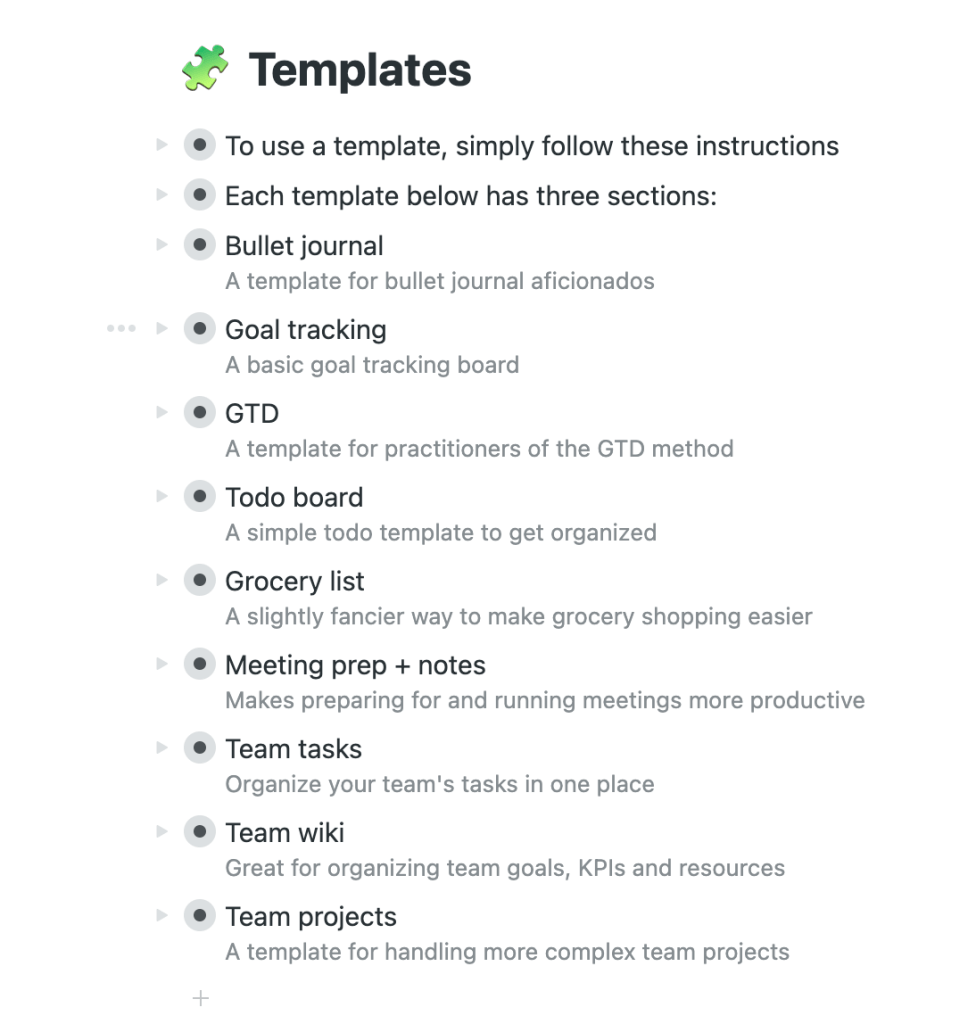
Now, this one is newer to me and I look forward to playing around with it a bit more. The cool part is that it has different templates that you can use depending on what type of list you are trying to create. It also has the option to organize it by boards or bullet points and you can go back and forth.


Google Keep

If you are an avid Google user, then Keep is for you. It integrates with your calendar and you can move it up on your waffle to keep it nice and close by when you open a new google browser tab. The neat thing about Google Keep is that you can add images to your lists and move them around. There is a lot more visual customization available than the other to-do list apps that are out there. You can add collaborators, set reminders, change the color, and copy to Google Docs. It’s definitely worth trying out!

Posted in Uncategorized

Best digital to do list: 4 free apps to try today

Are you looking for the best digital to do list?

Making to-do lists is a helpful way to organize tasks that need to be completed. While, I do use a daily paper and pen method to keep track of tasks, I currently use Tick Tick to manage my goal-related tasks. I’ve used other digital apps as well and it all comes down to preference and whatever is best suited to your individual goals at the time.


Tick Tick

This program is a website, but also can be downloaded as an app. I have it on my Macbook, but mostly use it on the browser and keep it in my Google Chrome grouping tab for calendar. It can synced across all your devices so that if you update it in one place, it will be updated everywhere.

Within Tick Tick, you can create folders and assign tasks to a date within a folder and category. I have everything organized by school, different work tasks, bills, and personal development objectives. I also include things in my list that are recurring like do the animals flea treatment every month. You can also choose to utilize the calendar view to visually see when you have lots of tasks due or happening at once.

digital to do list


Remember the Milk

This app has the same basic features and interface as Tick Tick. I personally like both. Similar to Tick Tick, you can view tasks for the current day, the next day, or the week. Remember the Milk has a really nice easy share function where you can share tasks with someone’s email address.


Workflowy

Now, this one is newer to me and I look forward to playing around with it a bit more. The cool part is that it has different templates that you can use depending on what type of list you are trying to create. It also has the option to organize it by boards or bullet points and you can go back and forth.


Google Keep

If you are an avid Google user, then Keep is for you. It integrates with your calendar and you can move it up on your waffle to keep it nice and close by when you open a new google browser tab. The neat thing about Google Keep is that you can add images to your lists and move them around. There is a lot more visual customization available than the other to-do list apps that are out there. You can add collaborators, set reminders, change the color, and copy to Google Docs. It’s definitely worth trying out!

Posted in Personal Skills, Time Management, Work From Home

Ways to Create a To-Do List: Methods to Get Stuff Done!

Do you often make it through the day just putting out fires as they occur, trying to keep up? Creating and sticking to a schedule can help with managing time effectively. One helpful tool is to create a to-do list of action items that you need to get done. Over the years, I’ve tried different methods of writing a to-do list, which have worked for various purposes depending on my goals at the time.

Why is it important to make to-do lists?

Making lists and prioritizing tasks helps you become more likely to accomplish your goals and reach your dreams. It also provides a way to track your progress and keep you motivated to move forward. To-do lists are great for both personal and professional use. You can use a paper and pen notebook to track it all or there are lots of great digital apps to organize tasks by category.

I’ll share some of the methods I’ve used to create to-do lists with you here.


THE EVERYTHING LIST

I like to call this list the everything list because it’s more or less a brain dump of all that has to be done. Sometimes I make columns for personal and work action items to keep them separate, but I just get it all down on paper (or digital). I’ve seen others refer to this method as the grocery list method because it’s just basically keeping a running tab of tasks as they pop into your brain.

Top Three to Five

For me, this method is helpful when I’m feeling overwhelmed. Instead of literally writing everything down that needs to get done, I write 3-5 MANAGEABLE items at a time. Then, when I’m able to cross them all off, I write 3-5 more items to accomplish. It’s comparable to time blocking a schedule. It’s focusing me to be intentional about what I want to accomplish within a certain timeframe.

Prioritized List

This method takes the everything method and then rearranges it based on your priorities. It’s easier to do this with a digital task management system because you can easily cut and paste the items and move them up and down on your list. One way to prioritize is to use the Eisenhower matrix. Some people even recommend a simple lettering system next to your tasks with A being the most important item to tackle first.

Big and Small

This type of a to-do list breaks task into big and small tasks. You can think of them in time commitment. If it’s something like sending an email that will take 5 minutes to write, that could be considered a small task. If it’s completing an annual report, that might be a bigger task. Sometimes it’s more helpful to break up those big tasks into smaller ones and cross of those milestones as you reach them.

No matter how you organize your tasks, the best thing to do is find what works for you. The physical act of crossing something off on paper to me feels so good that even though I manage my longer term and ongoing tasks in a digital app, I still create a daily list of items that need to get done. I also try to keep it realistic so as not to get disappointed if I don’t get everything crossed off my list.

Happy to-do-ing!

Posted in Uncategorized

Ways to Create a To-Do List: Methods to Get Stuff Done Right Away!

You need to create a to-do list

Do you often make it through the day just putting out fires as they occur, trying to keep up? Creating and sticking to a schedule can help with managing time effectively. One helpful tool is to create a to-do list of action items that you need to get done. Over the years, I’ve tried different methods of writing a to-do list, which have worked for various purposes depending on my goals at the time.

A to-do list serves an important purpose in life. It keeps us from losing track of everything we have to do and helps focus our day on the things that really matter. It turns out that creating a to-do list can seem intimidating for some of us. But with a little bit of know-how, it becomes easier to create a to-do list. You won’t have to spend extra money and will be able to spend more time on the important stuff.

Why is it important to create a to-do list?

Making lists and prioritizing tasks helps you become more likely to accomplish your goals and reach your dreams. It also provides a way to track your progress and keep you motivated to move forward. To-do lists are great for both personal and professional use. You can use a paper and pen notebook to track it all or there are lots of great digital apps to organize tasks by category.

I’ll share some of the methods I’ve used to create to-do lists with you here.

create a to-do list
Photo by energepic.com on Pexels.com

THE EVERYTHING LIST

I like to call this list the everything list because it’s more or less a brain dump of all that has to be done. Sometimes I make columns for personal and work action items to keep them separate, but I just get it all down on paper (or digital). I’ve seen others refer to this method as the grocery list method because it’s just basically keeping a running tab of tasks as they pop into your brain.

Top Three to Five

For me, this method is helpful when I’m feeling overwhelmed. Instead of literally writing everything down that needs to get done, I write 3-5 MANAGEABLE items at a time. Then, when I’m able to cross them all off, I create a to-do list by writing 3-5 more items to accomplish. It’s comparable to time blocking a schedule. It’s focusing me to be intentional about what I want to accomplish within a certain timeframe.

Prioritized List

This method takes the everything method and then rearranges it based on your priorities. It’s easier to do this with a digital task management system because you can easily cut and paste the items and move them up and down on your list. One way to prioritize is to use the Eisenhower matrix. Some people even recommend a simple lettering system next to your tasks with A being the most important item to tackle first.

Big and Small

This type of to-do list breaks tasks into big and small tasks. You can think of them as time commitments. If it’s something like sending an email that will take 5 minutes to write, that could be considered a small task. If it’s completing an annual report, that might be a bigger task. Sometimes it’s more helpful to break up those big tasks into smaller ones and cross off those milestones as you reach them.

No matter how you organize your tasks and create a to-do list, the best thing to do is find what works for you. The physical act of crossing something off on paper to me feels so good that even though I manage my longer-term and ongoing tasks in a digital app, I still create a daily list of items that need to get done. I also try to keep it realistic so as not to get disappointed if I don’t get everything crossed off my list.

Happy to-do-ing!

Posted in Personal Skills

Morning Routines: A Few Things I Do Each Day

I’m curious. Do you have a morning routine? It’s something I’ve been working on for a long time. I wouldn’t say that I have a set morning routine, but I would say that I’m trying to improve whenever possible. Years ago, I got up and ran before work as I was training for a half marathon. That was a routine because I would often sleep in my running clothes or have them laid out next to me.


These days, I do a few things every morning to try and get my brain going and get organized for the day.

  1. I make my bed. Growing up I wasn’t one of those kids that made their bed or was forced to by my parents. It’s a habit I grew into as an adult. I just like the look of having my comforter pulled up even if my sheets aren’t perfectly aligned underneath. I don’t know the science behind it, but I do feel like there is a connection with my brain and the organization of the day when I make my bed in the morning.
  2. Stretching. I haven’t progressed to full on yoga in the morning, but I’ll stretch my neck and my body to get ready for the day. I would love to spend 20-30 minutes doing yoga, but I’m not quite there yet. I typically take a few minutes to move my head from side to side, raise my arms, and do a few lunges.
  3. Coffee. Okay. I admit, I’ve tried to kick the coffee addiction in the past with no success. So for now, it’s part of my morning routine to make coffee. I just love the smell of it and the feel of the warm mug in my hands, even on a hot day.
  4. Affirmations. I wrote another post about how I write daily affirmations. I like to start my day by journaling my intentions and writing down my affirmations. I repeat them to myself in the mirror a few times for good measure. I notice complete mood shifts if I got several days in a row without writing my affirmations. My anxiety creeps in more, I’m irritable, and my general positive outlook is not as sunny.
  5. To-do list and email. After I get some breakfast (or while I’m eating breakfast), I go through my to do list for the day and check my email. I prioritize and review my schedule to make sure I’m still on the best course for the day to achieve my goals.

While I have great ambitions to create an even better and more consistent morning routine, these are the things I do on a regular basis to get me started and going for the day. What do you do you do? What are some helpful tips you’d like to pass along?

Posted in Uncategorized

Morning Routine: 5 Important Things I Do Each Day

I’m curious. Do you have a morning routine? It’s something I’ve been working on for a long time. I wouldn’t say that I have a set morning routine, but I would say that I’m trying to improve whenever possible. Years ago, I got up and ran before work as I was training for a half marathon. That was a routine because I would often sleep in my running clothes or have them laid out next to me.


These days, I do a few things every morning to try and get my brain going and get organized for the day.

morning routine
Photo by Ron Lach on Pexels.com

Morning routine

  1. I make my bed. Growing up I wasn’t one of those kids that made their bed or was forced to by my parents. It’s a habit I grew into as an adult. I just like the look of having my comforter pulled up even if my sheets aren’t perfectly aligned underneath. I don’t know the science behind it, but I do feel like there is a connection between my brain and the organization of the day when I make my bed in the morning.
  2. Stretching. I haven’t progressed to full-on yoga in the morning, but I’ll stretch my neck and my body to get ready for the day. I would love to spend 20-30 minutes doing yoga, but I’m not quite there yet. I typically take a few minutes to move my head from side to side, raise my arms, and do a few lunges.
  3. Coffee. Okay. I admit I’ve tried to kick the coffee addiction in the past with no success. So for now, it’s part of my morning routine to make coffee. I just love the smell of it and the feel of the warm mug in my hands, even on a hot day.
  4. Affirmations. I like to start my day by journaling my intentions and writing down my affirmations. I repeat them to myself in the mirror a few times for good measure. I notice complete mood shifts if I got several days in a row without writing my affirmations. My anxiety creeps in more, I’m irritable, and my generally positive outlook is not as sunny.
  5. To-do list and email. After I get some breakfast (or while I’m eating breakfast), I go through my to-do list for the day and check my email. I prioritize and review my schedule to make sure I’m still on the best course for the day to achieve my goals.

While I have great ambitions to create an even better and more consistent morning routine, these are the things I do on a regular basis to get me started and going for the day. What do you do you do? What are some helpful tips you’d like to pass along?

Posted in Personal Skills, Time Management, Work From Home

Time Management Tips

I rarely hear people say they’ve got too much time on their hands. It’s often more about the lack of time that frustrates most. We all get the same amount of time in a day and how we use it has important implications for the outcomes of our lives.

Time management is an area of my life where I am constantly looking to improve. I seek ways to plan and be more productive. I used to thrive on being busy thinking that that was a marker of effective time management, when in fact it is not. Now, I seek ways to engage in deep focus and practice self care to make the most of the time I have. Here are some of the strategies that I use.

  • Single task. In order to turn my focus to the task at hand, I close out the email tabs, turn off the notifications, and focus on one item of my to do list at a time. Each day I use a template to write tasks for the day.
  • Modified Pomodoro. Google the Pomodoro Method and you’ll find lots of articles and resources. I use it, but sometimes I modify it and use the amount of work time that fits best in my schedule. So instead of 25 minute work chunks, I might do 30 or 45 or even an hour.
  • Prioritize. I keep my recurring tasks and upcoming to do items on a program called TickTick. Each day, I use that as my guide to prioritize what needs to be completed. I set aside 15-20 minutes each morning to start my day with prioritizing that way I’m not caught off guard as the day goes on. If something comes up, I can decide if it fits in my priorities or if it can be moved to the next day.
  • Improve technology skills. This is an important time management tip for anyone working from home. If you spend a lot of time on the computer, then finding quicker ways to complete tasks saves time. Time saved by technology can be spent on other priority areas. Utilize the free resources available to brush up on your tech skills.
  • Calendar. I use Google calendar to color code all of my meetings and tasks. I add big projects to my calendar and block off time to complete them. I also use a paper calendar because I still like to have things written down.

*I get commissions for purchases made through links in this post.

Posted in Uncategorized

5 Helpful and Quick Time Management Tips To Test Out Today

Quick time management tips can help you stay focused and on task. I rarely hear people say they’ve got too much time on their hands. It’s often more about the lack of time that frustrates most. We all get the same amount of time in a day and how we use it has important implications for the outcomes of our lives.

Time management is an area of my life where I am constantly looking to improve. I seek ways to plan and be more productive. I used to thrive on being busy thinking that that was a marker of effective time management, when in fact it is not. Now, I seek ways to engage in deep focus and practice self-care to make the most of the time I have. Here are some of the strategies that I use.

5 Quick Time Management Tips

  • Single task. In order to turn my focus to the task at hand, I close out the email tabs, turn off the notifications, and focus on one item of my to do list at a time. Each day I use a template to write tasks for the day.
  • Modified Pomodoro. Google the Pomodoro Method and you’ll find lots of articles and resources. I use it, but sometimes I modify it and use the amount of work time that fits best in my schedule. So instead of 25 minute work chunks, I might do 30 or 45 or even an hour.
quick time management tips
Photo by Andrey Grushnikov on Pexels.com
  • Prioritize. I keep my recurring tasks and upcoming to do items on a program called TickTick. Each day, I use that as my guide to prioritize what needs to be completed. I set aside 15-20 minutes each morning to start my day with prioritizing that way I’m not caught off guard as the day goes on. If something comes up, I can decide if it fits in my priorities or if it can be moved to the next day.
  • Improve technology skills. This is an important time management tip for anyone working from home. If you spend a lot of time on the computer, then finding quicker ways to complete tasks saves time. Time saved by technology can be spent on other priority areas. Utilize the free resources available to brush up on your tech skills such as keyboard shortcuts.
  • Calendar. I use Google calendar to color-code all of my meetings and tasks. I add big projects to my calendar and block off time to complete them. I also use a paper calendar because I still like to have things written down.

Even with a good system in place, time management will always be a struggle. It’s something that you have to continue to work hard at—it’s not something that you should expect to be perfect at right away.

But even though it can be difficult to maintain your focus and your high productivity over the long-term, it is essential to striving towards excellence in all areas of life. Utilize some of these quick time management tips to get you started!