Posted in Goal

4 Tips to Master the Power of Effective Scheduling

Effective scheduling is key. Some people say that I’m a planner. Others say I’m calendar-oriented. Really, I just like to make sure that my time, tasks, and priorities are all reflected in my schedule. When someone asks me to do something and I agree (also power in saying no), I immediately add it to my Google Calendar, which can be accessed on my phone, iPad, and laptop. No matter where I am I have access to it.

If it is a work or professional meeting, I copy the Zoom or webinar link from the email and paste it directly into the calendar event that I create so that I do not have to search for the email when it’s time to log in.
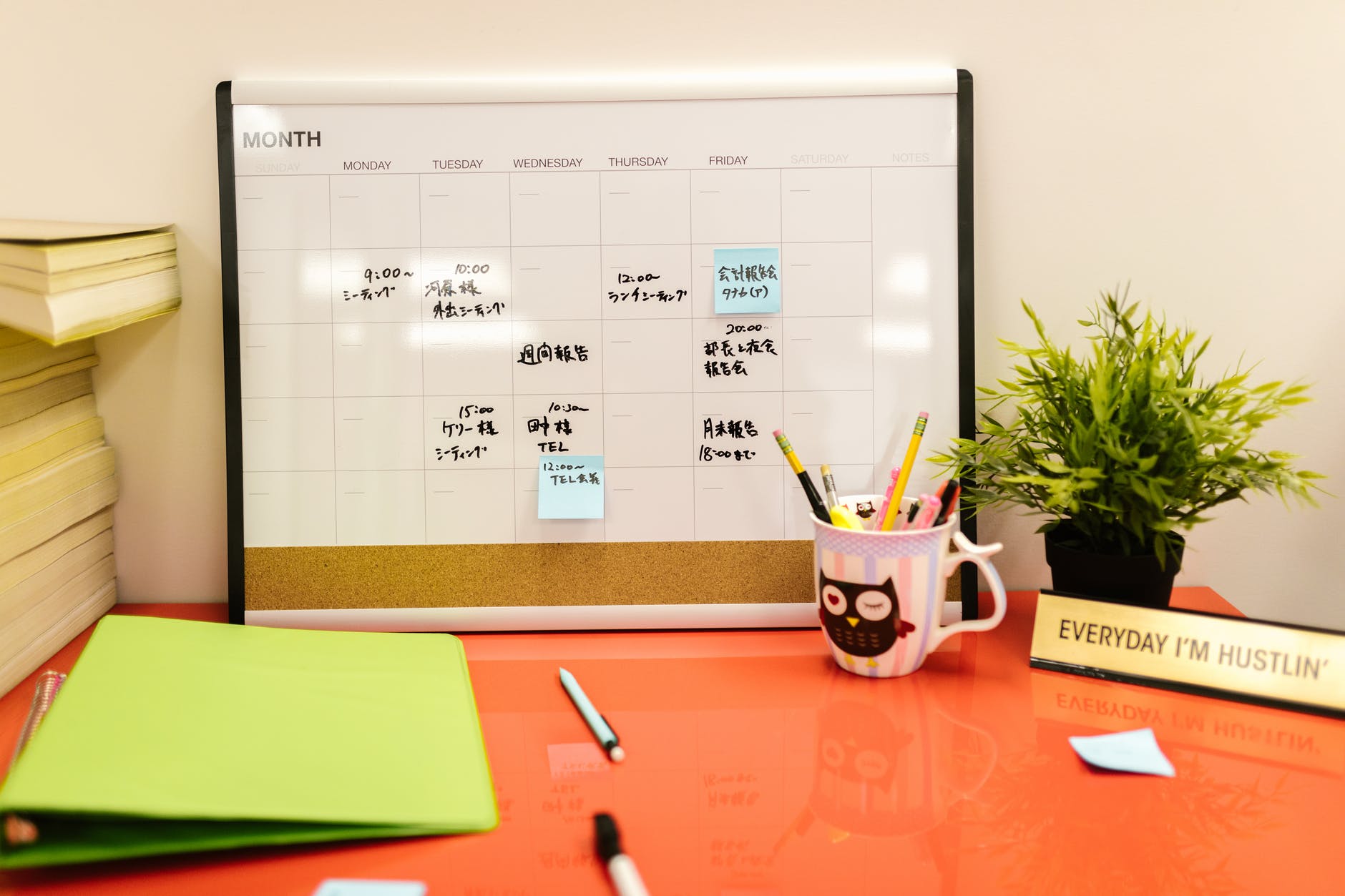
effective scheduling
Photo by RODNAE Productions on Pexels.com

Effective scheduling: Clarify your goals

It is important to know what you want to accomplish with your time. You cannot create an effective schedule if you don’t know what you are aiming for. I wrote a post on mini-goals here. Get specific on the main areas of your life and figure out the chunks of time that need to be spent on each.

Effective scheduling: Prioritize your tasks

When you sit down to work, or even at the beginning of every day, take a look at everything that needs to be accomplished. What is that one thing that can’t be put off? Do that first, in the morning if you can. For longer term projects, break it down into smaller deadlines and place those on your calendar. If you’re not sure how to prioritize, consider using a strategy like the Eisenhower Matrix.


Effective scheduling: Utilize a digital calendar like Google Calendar

Keep a calendar that can be accessed from all of your digital devices: laptop, phone, iPad, etc. That way, you always have access to what you need in the moment if someone asks to schedule something. Personally, because I work several part time jobs and manage my own schedule, I keep one Google Calendar for everything and color code by activity, including my personal commitments. For example, if a friend texts me and says, “hey, we should catch up on the phone Thursday around 8pm.” If I’m free, I actually confirm and add that to my calendar so I don’t forget to call or accidentally make plans to do something else because I forgot we were going to chat.

At work, I utilize my email kind of like a to-do list. I try to check my email at certain points throughout the day, but if something comes on that I need to take care of that day or later in the week, I also add it to my calendar and include the reference email.

Effective scheduling: Learn to Say “Let Me Get Back to You”

If you’re a kind-hearted person who wants to follow through with helping people or do a good job, you’ll be tempted to say yes to everyone and everything. That is not a realistic way to manage a schedule because you will quickly become overwhelmed. However, instead of saying no right away, give yourself some think time when someone asks you to do something or for another meeting or a favor. Evaluate if it fits with your goals and priorities or fits in any extra time you have available for leisure. If not, perhaps you may have to decline or ask the person to check in with you at a later date.


These are just some of the strategies that I use on a regular basis to maintain my schedule. Please leave a comment if you’d like to hear more about any of them!

Posted in Uncategorized

Important Strategies for Scheduling Meetings In and Out of Your Organization

Strategies for scheduling meetings: Are you tasked with scheduling a lot of meetings or scheduling meetings with large groups of people with busy schedules? I’ve had to do both so I’ll share some of the strategies that I have used to simplify this process if possible.

I generally view these in 2 different categories. Scheduling within an organization can be a bit easier because you can utilize technology tools and systems to standardize meeting expectations.

However, this works best when everyone in the group is well-versed in the technology of the organization. Scheduling outside organizations requires clear directions so others can utilize the method you have set forth for that meeting.

Strategies for Scheduling meetings Within the organization

One of the easiest methods to schedule meetings within an organization is to share calendars through Gmail or Outlook. When I’m scheduling a meeting in Google Calendar in my organization, I can type in the guests’ names I need to meet with and view their available blocks of time to find a common time. You can change the settings to share as many or as few details as possible.

Doodle – This works for both inside and outside the organization. With Doodle, you can create a bookable calendar so people have to look at it when you’re available. You can also create events and list out dates and times so people can tell you when they’re available.

strategies for scheduling meetings
Photo by Pixabay on Pexels.com

Strategies for Scheduling meetings Outside the organization

When trying to schedule outside the organization, it is also possible to utilize Google and Outlook calendars if those people use them as well. I often get Google Calendar invites from many people not in my organization.

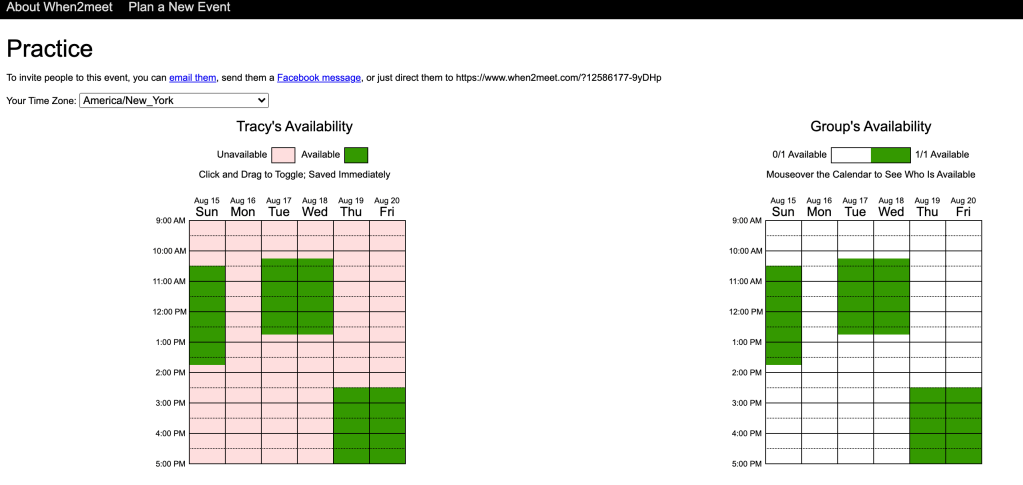
Another strategy is to use When2Meet, which allows potential meeting attendees to shade in all the blocks of time they are available. It then gets darker the more people are available at a given time indicating a better fit for a meeting. You can share the link with potential attendees and then choose the time when most people are available.

One of my colleagues just creates a Google Sheet with available times and has people put their names when they are available. It’s a similar process as When2Meet.

These are the main methods that I have used which I can personally recommend. However, there are so many other digital programs that you can use to manage your calendars and schedule meetings. This article shares the breakdown of 23 different programs you can use.

Ultimately, you want to choose the most time-efficient and user-friendly option available to you!

Posted in Goal, Personal Skills, Time Management, Work From Home

Mastering the Power of Effective Scheduling: Some Tips to Make it Happen

Some people say that I’m a planner. Others say I’m calendar-oriented. Really, I just like to make sure that my time, tasks, and priorities are all reflected on my schedule. When someone asks me to do something and I agree (also power in saying no), I immediately add it to my Google Calendar, which can be accessed on my phone, iPad, and laptop. No matter where I am I have access to it.

If it is a work or professional meeting, I copy the Zoom or webinar link from the email and paste it directly into the calendar event that I create so that I do not have to search for the email when it’s time to log in.

Clarify your goals

It is important to know what you want to accomplish with your time. You cannot create an effective schedule if you don’t know what you are aiming for. I wrote a post on mini-goals here. Get specific on the main areas of your life and figure out the chunks of time that need to be spent on each.

Prioritize your tasks

When you sit down to work, or even at the beginning of every day, take a look at everything that needs to be accomplished. What is that one thing that can’t be put off? Do that first, in the morning if you can. For longer term projects, break it down into smaller deadlines and place those on your calendar. If you’re not sure how to prioritize, consider using a strategy like the Eisenhower Matrix.


Utilize a digital calendar like Google Calendar

Keep a calendar that can be accessed from all of your digital devices: laptop, phone, iPad, etc. That way, you always have access to what you need in the moment if someone asks to schedule something. Personally, because I work several part time jobs and manage my own schedule, I keep one Google Calendar for everything and color code by activity, including my personal commitments. For example, if a friend texts me and says, “hey, we should catch up on the phone Thursday around 8pm.” If I’m free, I actually confirm and add that to my calendar so I don’t forget to call or accidentally make plans to do something else because I forgot we were going to chat.

At work, I utilize my email kind of like a to do list. I try to check my email at certain points throughout the day, but if something comes on that I need to take care of that day or later in the week, I also add it to my calendar and include the reference email.

Learn to Say “Let Me Get Back to You”

If you’re a kind-hearted person who wants to follow through with helping people or do a good job, you’ll be tempted to say yes to everyone and everything. That is not a realistic way to manage a schedule because you will quickly become overwhelmed. However, instead of saying no right away, give yourself some think time when someone asks you to do something or for another meeting or a favor. Evaluate if it fits with your goals and priorities or fits in any extra time you have available for leisure. If not, perhaps you may have to decline or ask the person to check in with you at a later date.
These are just some of the strategies that I use on a regular basis to maintain my schedule. Please leave a comment if you’d like to hear more about any of them!