Posted in Goal

Fear of Failure: The True Reason You Aren’t Successful

Do you have a fear of failure?

I truly believe one of the biggest things that has held me back from achieving goals, or at least achieving them as quickly as I could have, has been fear of failure. This is human nature to want to succeed and not look stupid or be embarrassed by a less than desirable outcome of something.

But I have to wonder, how many times has fear of failure stopped me from doing something great or finding a new passion or hobby to enjoy? I recently read Hello Fears by Michelle Poler, which I do recommend as a positive self growth opportunity. She documents her 100 days of facing down different fears from dancing in Times Square to speaking at a TedX conference. In her story, she breaks down different emotions and feelings she had to go through to conquer each of her fears.

Fear of failure is also known by the name atychiphobia. This may be an unwillingness to try anything new unless it is guaranteed to be a success. Sometimes this is tied to another psychological phenomenon known as imposter syndrome. It makes it challenging to feel as though you deserve something or that you will be good enough at whatever it is that you need or want to do.

Why do people have a fear of failure?

Some people grow up in households where they are not supposed to show imperfections or are held to super high standards. Everything is expected to be perfect and anything less than that is unacceptable. This could be something an adult has shown them or some internal pressure placed on themselves.

Other reasons people are afraid to fail include potential shame or embarrassment that may come from not reaching a goal. They may place a lot of emphasis on what others think or have fear of failure accompanied by anxiety.

Perhaps you’ve been knocked down many times in the professional world when you’ve tried to express your ideas. This could be a block to further wanting to share ideas or come up with new innovative ways to do things.

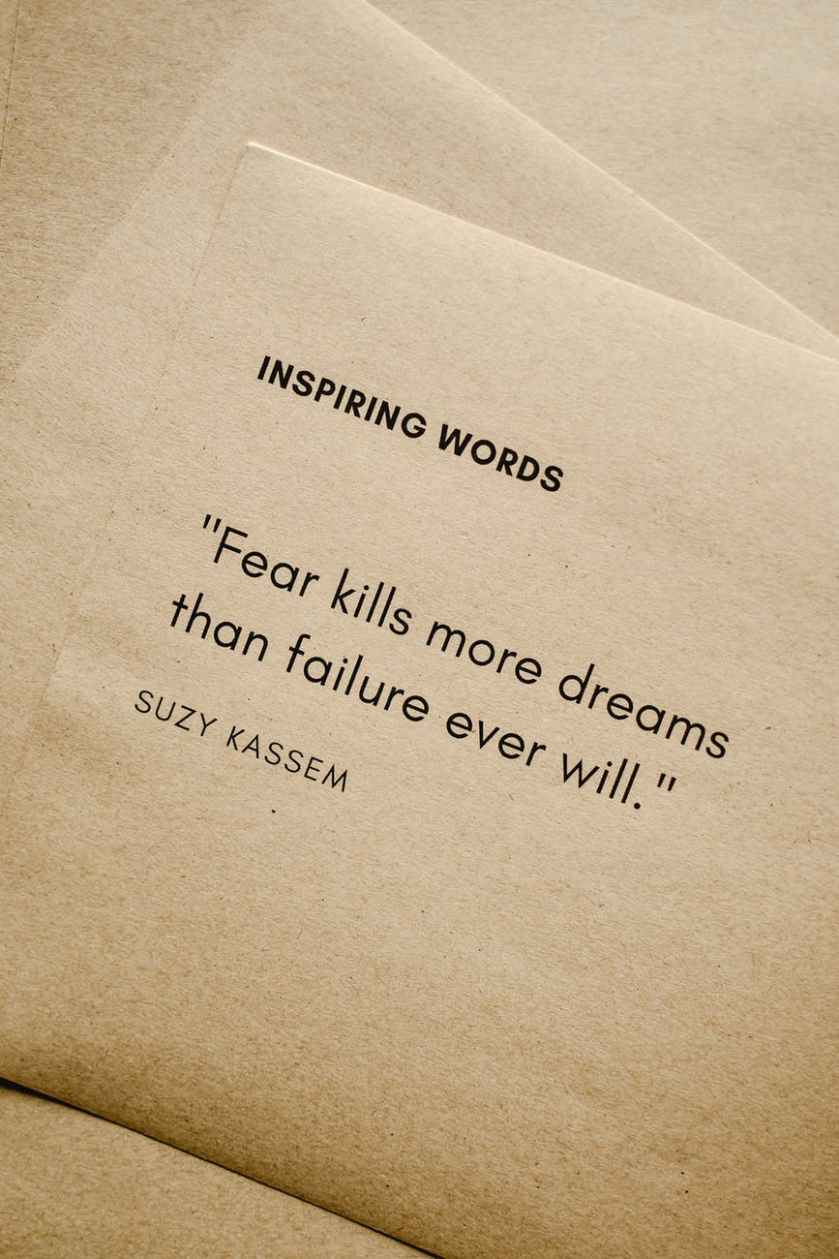
fear of failure
Photo by Andrea Piacquadio on Pexels.com

How many successful people have failed?

Lots of successful people failed many, many times on their path to success. It is not always a linear process, but many times filled with ups and downs that teach lessons. One of the most famous examples is the inventor of the lightbulb, Thomas Edison, who failed 1,000 before making the lightbulb function and work.

Have you ever heard of Harry Potter? Chances are you have because between the books and the movies, JK Rowling has made over $15 billion. It’s an international sensation, but was rejected 12 times at first.

Oprah Winfrey had a television gig that did not go so well where she faced challenges and was ultimately fired from that position. She didn’t give up and went on to have her own talk show and is a billionaire.

I could go on and on. Think of a famous person who you admire and respect. Do some research about their background. Chances are if they started a business, wrote a book, or starred in a movie, somewhere along the way they faced rejection and failure. The key is they did not let that stop them from pursuing their dreams.

Moral of the story? Failure is a step to growth so even if we might fail, we have to try. If we never try, then we’ll never know if we could have run that marathon, finished that degree, or started that new business. It will always be a “what if?”. How many what if’s do you have and what can you change moving forward?

Posted in Goal, Lifestyle, Personal Skills

Blocks to Moving Forward: Fear of Failure

I truly believe one of the biggest things that has held me back from achieving goals, or at least achieving them as quickly as I could have, has been fear or failure. This is human nature to want to succeed and not look stupid or be embarrassed by a less than desirable outcome of something.

But I have to wonder, how many times has fear of failure stopped me from doing something great or finding a new passion or hobby to enjoy? I recently read Hello Fears by Michelle Poler, which I do recommend as a positive self growth opportunity. She documents her 100 days of facing down different fears from dancing in Times Square to speaking at a TedX conference. In her story, she breaks down different emotions and feelings she had to go through to conquer each of her fears.

Fear of failure is also know by the name atychiphobia. This may be an unwillingness to try anything new unless it is guaranteed to be a success. Sometimes this is tied to another psychological phenomenon known as imposter syndrome. It makes it challenging to feel as though you deserve something or that you will be good enough at whatever it is that you need or want to do.

Why are people afraid to fail?

Some people grow up in households where they are not supposed to show imperfections or they are held to super high standards. Everything is expected to be perfect and anything less than that is unacceptable. This could be something an adult has shown them or some internal pressure placed on theirselves.

Other reasons people are afraid to fail include potential shame or embarrassment that may come from not reaching a goal. They may place a lot of emphasis on what others think or have fear of failure accompanied by anxiety.

Perhaps you’ve been knocked down many times in the professional world when you’ve tried to express you ideas. This could be a block to further wanting to share ideas or come up with new innovative ways to do things.

How many successful people have failed?

Lots of successful people failed many, many times on their path to success. It is not always a linear process, but many times filled with ups and downs that teach lessons. One of the most famous examples is the inventor fo the lightbulb, Thomas Edison, who failed 1,000 before making the lightbulb function and work.

Have you ever heard of Harry Potter? Chances are you have because between the books and the movies, JK Rowling has made over $15 billion. It’s an international sensation, but was rejected 12 times at first.

Oprah Winfrey had a television gig that did not go so well where she faced challenges and was ultimately fired from that position. She didn’t give up and went on to have her own talk show and is a billionaire.

I could go on and on. Think of a famous person who you admire and respect. Do some research about their background. Chances are if they started a business, wrote a book, or starred in a movie, somewhere along the way they faced rejection and failure. The key is they did not let that stop them from pursuing their dreams.

Moral of the story? Failure is a step to growth so even if we might fail, we have to try. If we never try, then we’ll never know if we could have run that marathon, finished that degree, or started that new business. It will always be a “what if?”. How many what if’s do you have and what can you change moving forward?

Posted in Uncategorized

Best digital to do list: 4 free apps to try today

Are you looking for the best digital to do list?

Making to-do lists is a helpful way to organize tasks that need to be completed. While, I do use a daily paper and pen method to keep track of tasks, I currently use Tick Tick to manage my goal-related tasks. I’ve used other digital apps as well and it all comes down to preference and whatever is best suited to your individual goals at the time.


Tick Tick

This program is a website, but also can be downloaded as an app. I have it on my Macbook, but mostly use it on the browser and keep it in my Google Chrome grouping tab for calendar. It can synced across all your devices so that if you update it in one place, it will be updated everywhere.

Within Tick Tick, you can create folders and assign tasks to a date within a folder and category. I have everything organized by school, different work tasks, bills, and personal development objectives. I also include things in my list that are recurring like do the animals flea treatment every month. You can also choose to utilize the calendar view to visually see when you have lots of tasks due or happening at once.

digital to do list


Remember the Milk

This app has the same basic features and interface as Tick Tick. I personally like both. Similar to Tick Tick, you can view tasks for the current day, the next day, or the week. Remember the Milk has a really nice easy share function where you can share tasks with someone’s email address.


Workflowy

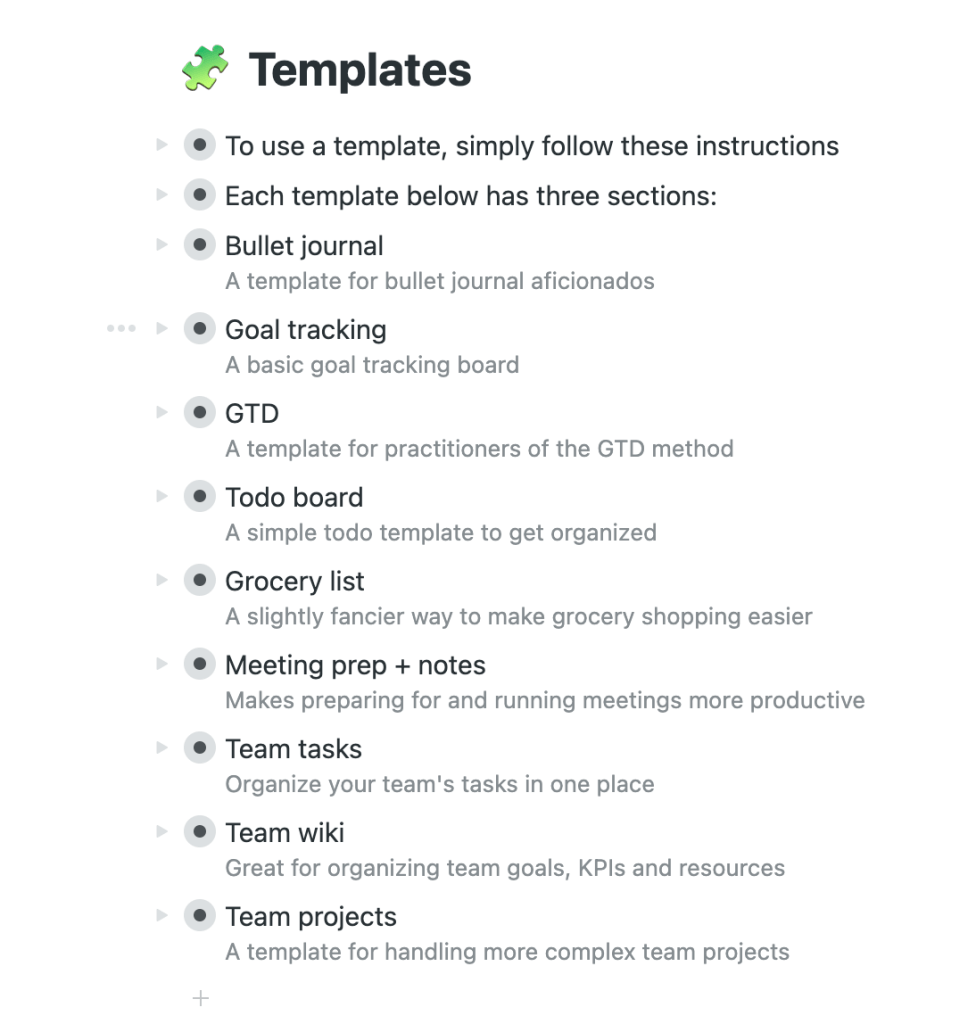
Now, this one is newer to me and I look forward to playing around with it a bit more. The cool part is that it has different templates that you can use depending on what type of list you are trying to create. It also has the option to organize it by boards or bullet points and you can go back and forth.


Google Keep

If you are an avid Google user, then Keep is for you. It integrates with your calendar and you can move it up on your waffle to keep it nice and close by when you open a new google browser tab. The neat thing about Google Keep is that you can add images to your lists and move them around. There is a lot more visual customization available than the other to-do list apps that are out there. You can add collaborators, set reminders, change the color, and copy to Google Docs. It’s definitely worth trying out!

Posted in Time Management, Work From Home

To-Do List Digital Apps: 4 Free Apps to Try Out

Making to-do lists is a helpful way to organize tasks that need to be completed. While, I do use a daily paper and pen method to keep track of tasks, I currently use Tick Tick to manage my goal-related tasks. I’ve used other digital apps as well and it all comes down to preference and whatever is best suited to your individual goals at the time.


Tick Tick

This program is a website, but also can be downloaded as an app. I have it on my Macbook, but mostly use it on the browser and keep it in my Google Chrome grouping tab for calendar. It can synced across all your devices so that if you update it in one place, it will be updated everywhere.

Within Tick Tick, you can create folders and assign tasks to a date within a folder and category. I have everything organized by school, different work tasks, bills, and personal development objectives. I also include things in my list that are recurring like do the animals flea treatment every month. You can also choose to utilize the calendar view to visually see when you have lots of tasks due or happening at once.


Remember the Milk

This app has the same basic features and interface as Tick Tick. I personally like both. Similar to Tick Tick, you can view tasks for the current day, the next day, or the week. Remember the Milk has a really nice easy share function where you can share tasks with someone’s email address.


Workflowy

Now, this one is newer to me and I look forward to playing around with it a bit more. The cool part is that it has different templates that you can use depending on what type of list you are trying to create. It also has the option to organize it by boards or bullet points and you can go back and forth.


Google Keep

If you are an avid Google user, then Keep is for you. It integrates with your calendar and you can move it up on your waffle to keep it nice and close by when you open a new google browser tab. The neat thing about Google Keep is that you can add images to your lists and move them around. There is a lot more visual customization available than the other to-do list apps that are out there. You can add collaborators, set reminders, change the color, and copy to Google Docs. It’s definitely worth trying out!

Posted in Uncategorized

Ways to Create a To-Do List: Methods to Get Stuff Done Right Away!

You need to create a to-do list

Do you often make it through the day just putting out fires as they occur, trying to keep up? Creating and sticking to a schedule can help with managing time effectively. One helpful tool is to create a to-do list of action items that you need to get done. Over the years, I’ve tried different methods of writing a to-do list, which have worked for various purposes depending on my goals at the time.

A to-do list serves an important purpose in life. It keeps us from losing track of everything we have to do and helps focus our day on the things that really matter. It turns out that creating a to-do list can seem intimidating for some of us. But with a little bit of know-how, it becomes easier to create a to-do list. You won’t have to spend extra money and will be able to spend more time on the important stuff.

Why is it important to create a to-do list?

Making lists and prioritizing tasks helps you become more likely to accomplish your goals and reach your dreams. It also provides a way to track your progress and keep you motivated to move forward. To-do lists are great for both personal and professional use. You can use a paper and pen notebook to track it all or there are lots of great digital apps to organize tasks by category.

I’ll share some of the methods I’ve used to create to-do lists with you here.

create a to-do list
Photo by energepic.com on Pexels.com

THE EVERYTHING LIST

I like to call this list the everything list because it’s more or less a brain dump of all that has to be done. Sometimes I make columns for personal and work action items to keep them separate, but I just get it all down on paper (or digital). I’ve seen others refer to this method as the grocery list method because it’s just basically keeping a running tab of tasks as they pop into your brain.

Top Three to Five

For me, this method is helpful when I’m feeling overwhelmed. Instead of literally writing everything down that needs to get done, I write 3-5 MANAGEABLE items at a time. Then, when I’m able to cross them all off, I create a to-do list by writing 3-5 more items to accomplish. It’s comparable to time blocking a schedule. It’s focusing me to be intentional about what I want to accomplish within a certain timeframe.

Prioritized List

This method takes the everything method and then rearranges it based on your priorities. It’s easier to do this with a digital task management system because you can easily cut and paste the items and move them up and down on your list. One way to prioritize is to use the Eisenhower matrix. Some people even recommend a simple lettering system next to your tasks with A being the most important item to tackle first.

Big and Small

This type of to-do list breaks tasks into big and small tasks. You can think of them as time commitments. If it’s something like sending an email that will take 5 minutes to write, that could be considered a small task. If it’s completing an annual report, that might be a bigger task. Sometimes it’s more helpful to break up those big tasks into smaller ones and cross off those milestones as you reach them.

No matter how you organize your tasks and create a to-do list, the best thing to do is find what works for you. The physical act of crossing something off on paper to me feels so good that even though I manage my longer-term and ongoing tasks in a digital app, I still create a daily list of items that need to get done. I also try to keep it realistic so as not to get disappointed if I don’t get everything crossed off my list.

Happy to-do-ing!

Posted in Personal Skills, Time Management, Work From Home

Ways to Create a To-Do List: Methods to Get Stuff Done!

Do you often make it through the day just putting out fires as they occur, trying to keep up? Creating and sticking to a schedule can help with managing time effectively. One helpful tool is to create a to-do list of action items that you need to get done. Over the years, I’ve tried different methods of writing a to-do list, which have worked for various purposes depending on my goals at the time.

Why is it important to make to-do lists?

Making lists and prioritizing tasks helps you become more likely to accomplish your goals and reach your dreams. It also provides a way to track your progress and keep you motivated to move forward. To-do lists are great for both personal and professional use. You can use a paper and pen notebook to track it all or there are lots of great digital apps to organize tasks by category.

I’ll share some of the methods I’ve used to create to-do lists with you here.


THE EVERYTHING LIST

I like to call this list the everything list because it’s more or less a brain dump of all that has to be done. Sometimes I make columns for personal and work action items to keep them separate, but I just get it all down on paper (or digital). I’ve seen others refer to this method as the grocery list method because it’s just basically keeping a running tab of tasks as they pop into your brain.

Top Three to Five

For me, this method is helpful when I’m feeling overwhelmed. Instead of literally writing everything down that needs to get done, I write 3-5 MANAGEABLE items at a time. Then, when I’m able to cross them all off, I write 3-5 more items to accomplish. It’s comparable to time blocking a schedule. It’s focusing me to be intentional about what I want to accomplish within a certain timeframe.

Prioritized List

This method takes the everything method and then rearranges it based on your priorities. It’s easier to do this with a digital task management system because you can easily cut and paste the items and move them up and down on your list. One way to prioritize is to use the Eisenhower matrix. Some people even recommend a simple lettering system next to your tasks with A being the most important item to tackle first.

Big and Small

This type of a to-do list breaks task into big and small tasks. You can think of them in time commitment. If it’s something like sending an email that will take 5 minutes to write, that could be considered a small task. If it’s completing an annual report, that might be a bigger task. Sometimes it’s more helpful to break up those big tasks into smaller ones and cross of those milestones as you reach them.

No matter how you organize your tasks, the best thing to do is find what works for you. The physical act of crossing something off on paper to me feels so good that even though I manage my longer term and ongoing tasks in a digital app, I still create a daily list of items that need to get done. I also try to keep it realistic so as not to get disappointed if I don’t get everything crossed off my list.

Happy to-do-ing!

Posted in Uncategorized

5 Strategies to Manage Stress You Can Use Today

I don’t know about you, but I could use some strategies to manage stress.

No matter how much I try to avoid it, stress eventually creeps into some areas of my life. It particularly occurs around deadlines or times when multiple priorities are overlapping and there’s no way around it. I try to manage it in advance with good time management skills, yet I still need to find creative solutions to let the stress out when it does start to build up.

Here are five strategies to manage stress that I use when I’m feeling the stress pile on and I need to let go of some tension:

1. Exercise

This is probably the number one go-to stress reliever. Even doctors recommend exercise as a great stress reducer. I am a Zumba instructor so I have my regular classes, which helps with a consistent schedule. However, if I just need to clear my head, a walk or jog is perfect to let go of some of the worries and tension of the day. A couple of years ago, I was feeling fatigued and it turned out that my Vitamin D was low. Now I make it a priority to take the walk outside anytime it is a sunny day to replenish that energy.

2. Breathe Deeply

This is a practice that has truly helped me to manage my anxiety much better. Any time I feel the stress building up or drifting in, I take several deep breaths. It’s also helpful to utilize meditation practices through apps or YouTube channels.

3. See a Counselor or Therapist

I have been regularly seeking therapy for about 5 years. The amount of personal growth and self reflection that has resulted from this has been tremendous. I highly recommend therapy to everyone, no matter your life circumstance. It is extremely helpful to talk through your life circumstances with an unbiased person who has training and knowledge to help you see viewpoints that you may not realize on your own. For me personally, this is one of the best strategies to manage stress.

That alone has the power to reduce stress in your life. Many jobs offer what’s called EAP, or Employee Assistance Programs. If you’re not sure what it is, contact your HR department and ask if this is a benefit that is provided. If so, take advantage of the hotline and assistance to speak with someone about whatever it is that you are going through.

strategies to manage stress
Photo by Timur Weber on Pexels.com

4. Find Something You Enjoy

This could be a hobby or creative talent that you already have or something new that you are trying. Essentially, you want to fill some of your extra time with activities that make you happy or excited. Some people like to paint or draw or express themselves artistically. Perhaps you like to make candles. Whatever it is, make sure that you’re not caught in the work, work, work loop. Your self care and happiness are a priority and you should not feel guilty about making time for that.

5. Do Yoga Nidra

A friend of mine introduced me to Yoga Nidra years ago and I could not believe how immediate the results were in my reducing my stress levels. If you’re not sure what it is, check out this post here. After my first time, I was so relaxed, I truly felt the stress leaving my body. I had tried yoga before, but with little success.

I always found myself to be a go, go, go type of person and yoga was much too slow for me. I love my Zumba and dancing, but not Yoga. However, this is much more like a meditation and I could truly find myself relaxing throughout the process. If you haven’t checked it out, there are many YouTube videos you can follow along with that will take you through the process.

Whatever you have going on, you owe it to yourself to take a step back if you can. You don’t want to get to a point where you have no choice but to take a step back. Try to use these strategies to manage stress and comment on any others that you utilize to reduce stress!

Posted in Relaxation

How I Manage Stress: Five Strategies For When I Am Feeling Stressed

I don’t know about you, but no matter how much I try to avoid it, stress eventually creeps in to some area of my life. It particular occurs around deadlines or times when multiple priorities are overlapping and there’s no way around it. I try to manage it in advance with good time management skills, yet I still need to find creative solutions to let the stress out when it does start to build up.

Here are five strategies that I use when I’m feeling the stress pile on and I need to let go of some tension:

1. Exercise

This is probably the number one go to stress reliever. Even doctors recommend exercise as a great stress reducer. I am a Zumba instructor so I have my regular classes, which helps with a consistent schedule. However, if I just need to clear my head, a walk or jog is perfect to let go of some of the worries and tension of the day. A couple of years ago, I was feeling fatigued and it turned out that my Vitamin D was low. Now I make it a priority to take the walk outside anytime it is a sunny day to replenish that energy.

2. Breathe Deeply

This is a practice that has truly helped me to manage my anxiety much better. Any time I feel the stress building up or drifting in, I take several deep breaths. It’s also helpful to utilize meditation practices through apps or YouTube channels.

3. See a Counselor or Therapist

I have been regularly seeking therapy for about 5 years. The amount of personal growth and self reflection that has resulted from this has been tremendous. I highly recommend therapy to everyone, no matter your life circumstance. It is extremely helpful to talk through your life circumstances with an unbiased person who has training and knowledge to help you see viewpoints that you may not realize on your own. That alone has the power to reduce stress in your life. Many jobs offer what’s called EAP, or Employee Assistance Programs. If you’re not sure what it is, contact your HR department and ask if this is a benefit that is provided. If so, take advantage of the hotline and assistance to speak with someone about whatever it is that you are going through.

4. Find Something You Enjoy

This could be a hobby or creative talent that you already have or something new that you are trying. Essentially, you want to fill some of your extra time with activities that make you happy or excited. Some people like to paint or draw or express themselves artistically. Perhaps you like to make candles. Whatever it is, make sure that you’re not caught in the work, work, work loop. Your self care and happiness is a priority and you should not feel guilty about making time for that.

5. Do Yoga Nidra

A friend of mine introduced me to Yoga Nidra years ago and I could not believe how immediate the results were in my reducing my stress levels. If you’re not sure what it is, check out this post here. After my first time, I was so relaxed, I truly felt the stress leaving my body. I had tried yoga before, but with little success. I always found myself to be a go, go, go type of person and yoga was much too slow for me. I love my Zumba and dancing, but not Yoga. However, this is much more like a meditation and I could truly find myself relaxing throughout the process. If you haven’t checked it out, there are many YouTube videos you can follow along with that will take you through the process.

Whatever you have going on, you owe it to yourself to take a step back if you can. You don’t want to get to a point where you have no choice but to take a step back. Try to use these strategies and comment any others that you utilize to reduce stress!

Posted in Uncategorized

My 4 Favorite Google Calendar Settings and Features

Google calendar settings can set you up for success!

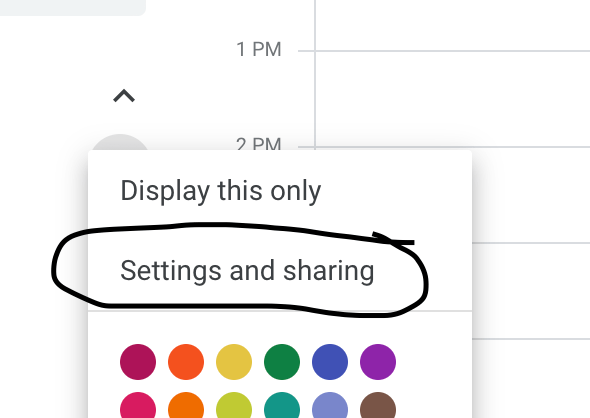
Settings and Sharing

google calendar settings

I use my Google Calendar for all of my professional and personal tasks. So, I share it with anyone who might need to get a hold of me or schedule something. However, I do not necessarily need them to see all of the event details, so I choose the option of just Free/Busy.

Notifications

Normally, I don’t like to have a lot of notifications coming through on my email, but I do have some calendar notifications set up. If something is changed or canceled, I do like the email to come through so I’m aware of it. That way, I don’t just happen to notice it missing from my calendar at a later time. Another helpful notification is to get a daily agenda from your calendar emailed to you. This helps as you think about planning your day each morning.

Color Coding Events

Originally, I utilized the create calendar feature to make a separate calendar for each of my activities. But then I realized if I was using the share calendar feature to alert people to my availability I would have to then share all of those calendars with them. So although it takes a second longer when I create an event … After I make it on my calendar, I right click the event and then change the color to match my coding for that activity. Then, at a glance, I can see what responsibilities I have for my freelance work, my teaching, and my school.

Multiple Time Zones

Another setting you can utilize on the calendar is to have more than one time zone displayed. This is helpful if you have to coordinate meetings with people who live in a different area. I have to do this and so I have two different time zones on my calendar to make it easier for me to plan meetings with others.

Overall, I find Google Calendar simple and user friendly. I like that I can access it on all my devices and put everything in one place!

Posted in Technology Tips, Work From Home

My Favorite Google Calendar Settings and Features

Settings and Sharing

Since I use my Google Calendar for all of my professional and personal tasks, I share it with anyone who might need to get a hold of me or schedule something. However, I do not necessarily need them to see all of the event details, so I choose the option of just Free/Busy.

Notifications

Normally, I don’t like to have a lot of notifications coming through on my email, but I do have some calendar notifications set up. If something is changed or canceled, I do like the email to come through so I’m aware of it and don’t just happen to notice it missing from my calendar at a later time. Another helpful notification is to get a daily agenda from your calendar emailed to you.

Color Coding Events

Originally, I utilized the create calendar feature to make a separate calendar for each of my activities. But then I realized if I was using the share calendar feature to alert people to my availability I would have to then share all of those calendars with them. So although it takes a second longer when I create an event. After I make it on my calendar, I right click the event and then change the color to match my coding for that activity. Then, at a glance, I can see what responsibilities I have for my freelance work, my teaching, and my school.

Multiple Time Zones

Another setting you can utilize on the calendar is to have more than one time zone displayed. This is helpful if you have to coordinate meetings with people who live in a different area. I have to do this and so I have two different time zones on my calendar to make it easier for me to plan meetings with others.

Overall, I find Google Calendar simple and user friendly. I like that I can access it on all my devices and put everything in one place!