Posted in Work From Home

Do you work from your bed?

Photo by cottonbro on Pexels.com

At the beginning of the pandemic I’m sure many of us worked from our bed because it was comfy and convenient. If you’re still doing that, it could be taking a toll on you mentally and physically. Here are some of the tips I use that I tell my friends and students when I’m working with them:

  1. Designate a specific work space separate from where you sleep. If you’re having trouble sleeping at night and constantly use the computer or scroll through your phone, you may want consider putting those down and making sure the bed is your sleep zone. For a long time, I didn’t have the luxury of a separate room so I had a tiny desk that I used in my bedroom. Then I used my kitchen table when I had my own one bedroom. Now, I’m fortunate to have an office and it has made a huge difference in my mental capacity to get work done and separate sleep and rest time.
  2. If you do work in bed, use some sort of support for your laptop like a lap desk. This helps keep it flat and cushions the surface for you underneath. I use this more when I’m on the couch and watching TV in the background if I’m doing any type of mindless work. Some people even prefer to use a laptop tray to hold their work items.
  3. Use a battery operated alarm clock and put your phone across the room at night. Resist the urge to check your phone for texts or emails when you first wake up in the morning. Most people use their phones as their alarm clock, but a simple switch to another alarm can create that barrier to get your morning started off on the right note.

*Note that links are affiliate links and provide a commission if used.

Posted in Uncategorized

5 Helpful and Quick Time Management Tips To Test Out Today

Quick time management tips can help you stay focused and on task. I rarely hear people say they’ve got too much time on their hands. It’s often more about the lack of time that frustrates most. We all get the same amount of time in a day and how we use it has important implications for the outcomes of our lives.

Time management is an area of my life where I am constantly looking to improve. I seek ways to plan and be more productive. I used to thrive on being busy thinking that that was a marker of effective time management, when in fact it is not. Now, I seek ways to engage in deep focus and practice self-care to make the most of the time I have. Here are some of the strategies that I use.

5 Quick Time Management Tips

  • Single task. In order to turn my focus to the task at hand, I close out the email tabs, turn off the notifications, and focus on one item of my to do list at a time. Each day I use a template to write tasks for the day.
  • Modified Pomodoro. Google the Pomodoro Method and you’ll find lots of articles and resources. I use it, but sometimes I modify it and use the amount of work time that fits best in my schedule. So instead of 25 minute work chunks, I might do 30 or 45 or even an hour.
quick time management tips
Photo by Andrey Grushnikov on Pexels.com
  • Prioritize. I keep my recurring tasks and upcoming to do items on a program called TickTick. Each day, I use that as my guide to prioritize what needs to be completed. I set aside 15-20 minutes each morning to start my day with prioritizing that way I’m not caught off guard as the day goes on. If something comes up, I can decide if it fits in my priorities or if it can be moved to the next day.
  • Improve technology skills. This is an important time management tip for anyone working from home. If you spend a lot of time on the computer, then finding quicker ways to complete tasks saves time. Time saved by technology can be spent on other priority areas. Utilize the free resources available to brush up on your tech skills such as keyboard shortcuts.
  • Calendar. I use Google calendar to color-code all of my meetings and tasks. I add big projects to my calendar and block off time to complete them. I also use a paper calendar because I still like to have things written down.

Even with a good system in place, time management will always be a struggle. It’s something that you have to continue to work hard at—it’s not something that you should expect to be perfect at right away.

But even though it can be difficult to maintain your focus and your high productivity over the long-term, it is essential to striving towards excellence in all areas of life. Utilize some of these quick time management tips to get you started!

Posted in Personal Skills

Mini-Goals: Small Ways to Stay Productive Throughout the Day

Today, I’m focusing on mini-goals. I’m working toward a larger goal of graduating this semester. To do so, I must meet certain tasks and stay within my timeline to get there.

Setting mini-goals to stay productive throughout the day may seem obvious, but you’d be surprised how many people don’t make the time. Whether you need to get out of bed and start your day earlier than usual or quit procrastinating on a report that’s due tomorrow, there are many ways to set mini-goals to achieve more throughout the day.

Here are my tips for tackling mini-goals:

  1. Each day, take your big task list and write down what you can REALISTICALLY accomplish during your work hours. I capitalized realistically because I used to make my to-do list as long as humanly possible because that obviously made me more accomplished somehow. Now, I take time each morning to carefully select what I believe I can accomplish in a day. This helps eliminate some of those feelings of inadequacy at the end of the day if you didn’t get to everything on your list.

  2. After that, I work in small time chunks and I set goals either with myself or my work partners. It might be something small like send off two emails or review 10 rows on a spreadsheet. A big goal that keeps us motivated should be something just out of our reach, but mini-goals are things that keep us moving forward and not stagnant. Sometimes, I’ll set time limits as well and work within those parameters before moving on to another task.
  3. Constant reflection. This one I’m going to credit to my therapist. We are working on fact-based thinking. Anytime my mind starts to wander or worry about things I cannot control, I will bring it back to the present goal with facts and logic. I’ll keep you posted, but I’m excited at the personal development prospects that this tip has in store.
mini-goals
Photo by RODNAE Productions on Pexels.com

What are your tips for staying focused on your mini-goals and progress?

Posted in Work From Home

Setting up for Video Calls

Setting up for video calls requires some effort and I’m actually getting kind of tired of it. This past year, I’ve spent almost every single day on my computer on some sort of video call, either for work or just spending time with friends. So when I can, I turn my video off for meetings or calls. I do this to take a mental break from the eye gymnastics of looking at myself (admit it, we all do it) and everyone else in the call at the same time. By the way, in Zoom, you can use hide self-view if you want to remove the temptation of viewing yourself!

Here are some tips I use while on video calls for the best quality and ease of viewing:

  1. I have a 2020 Macbook Air (I did a YouTube review you can watch here). One downside to this particular Macbook is the poor camera quality. Therefore, I utilize a ring light to improve my video quality. The ring light I have includes 3 settings, but there are many other options you can choose from. It’s a great investment to quickly improve the quality of your video.

2. On Zoom, I like to maintain my view of other participants in the call while someone is screen sharing. To do this, I make sure I have the Side-by-Side view option enabled. And then I can drag the panel over to see more videos if I want to see more of the participants. You can view the instructions on how to do that here.

3. A laptop stand is also a great investment for video calls. It is important for ergonomic reasons to raise your laptop to eye level, but also for connecting to the video participants. And if you don’t have a laptop stand, you can use reams of paper or books to prop up your laptop and bring your camera to eye level.

There are many more tips to set up your video calls for success, but these three should get you started!

Posted in Uncategorized

3 Tips for Organizing Your Workspace Right Now


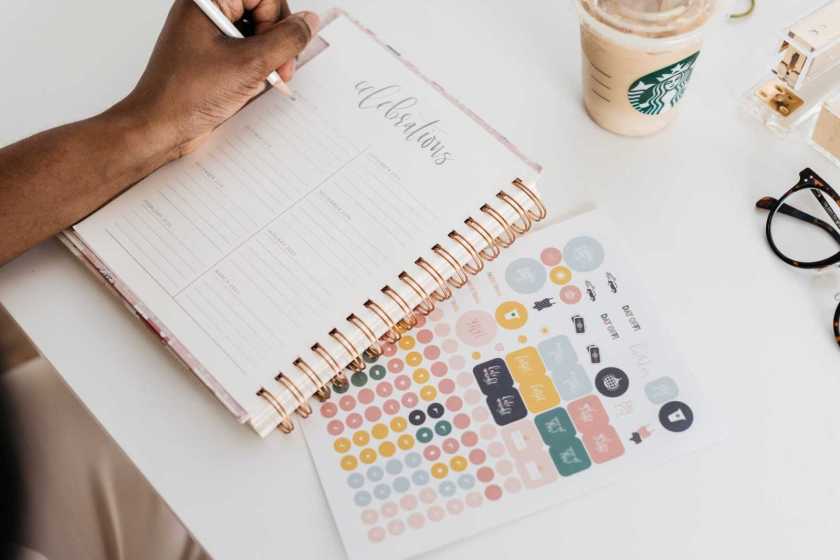
Organizing your workspace for optimal performance is important. I noticed after almost a year of 100% working from home that my workspace ebbs and flows from perfectly placed paperclips to piles of notes and post-its that I’m sorting through.

Therefore, it’s important to keep your workspace organized on a regular basis. One thing I learned is to immediately file, shred, or throw away anything that was not useful to me in the next 24-48 hours. I don’t always follow this advice because I think, “What if I need that?!” Spoiler alert: If it’s that important I can digitize it on my electronic to-do list or send a mental note via email to myself by scanning it as a PDF through Evernote.

organizing your workspace
Photo by Ken Tomita on Pexels.com

So here are my top tips for organizing your workspace in 2022:

  • Keep your favorite planner and pens nearby. You don’t want to be searching for your favorite pen (and let’s be honest, you have one!) when you need to take down some important notes during a Zoom call. Here are mine.
  • Invest in a few things that make you feel good about your workspace. For me, that was ordering a pink desk mat to go over my table. Instead of a desk, I have two old tables in an L-shape. I wanted some things to brighten up my space. I also got a little fake plant from Target and a monthly desk calendar in the $1 section, which I love!
  • Make sure you research ergonomics tips. I have an external keyboard and mouse so I can use my laptop stand (which doubles as a cooling station). This helps reduce the strain on my neck when I’m staring at the screen for long periods of time.

These are some helpful tips to get started working from home. Check out the other articles on this blog with new ideas and fresh tips. And make sure to subscribe to stay updated.